Refurbished price:£622.00
Versus £657.46 new

Updated on 24 June 2026
24 June 2026
13 mins read

Brian
Marketing Manager Back Market UK & Ireland
Here are our recommendations if you're looking for the best cheap laptop from trusted brands without compromising on quality. We've chosen some of the top options in several categories, from basic everyday tasks to business use, university courses, and gaming. You'll discover the pros and cons of each, along with detailed specifications to help you find the most suitable one for your particular needs.

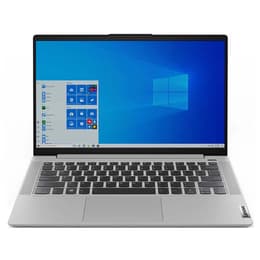
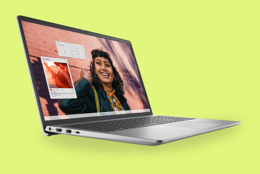
Dell Inspiron 15

A very affordable everyday laptop for everyday tasks. Simple and effective with smooth performance and decent battery life.
Lenovo IdeaPad 3 Chromebook
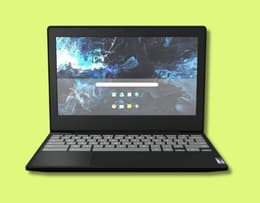
A compact choice for carrying on campus, researching, and writing papers.
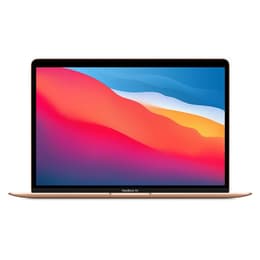
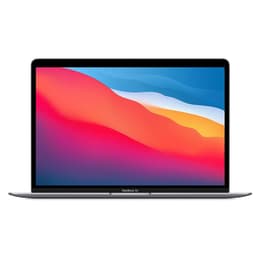
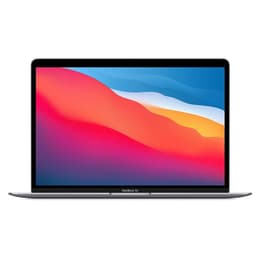
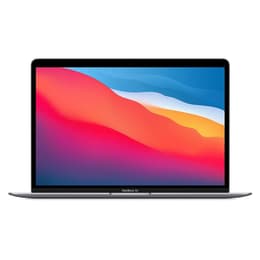
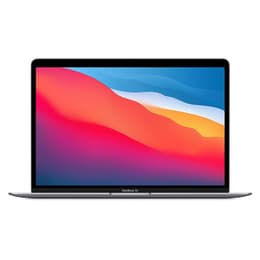
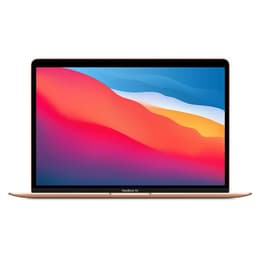
Apple MacBook Air M1
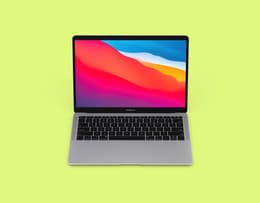
A few generations old, but still one of the best lightweight laptops out there, offering Apple quality at a reasonable price.
Acer Aspire 5
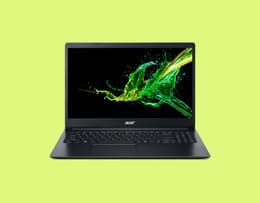
Good balance between low price and performance. A dependable, well-designed laptop ideal for busy professionals.
HP Victus 15
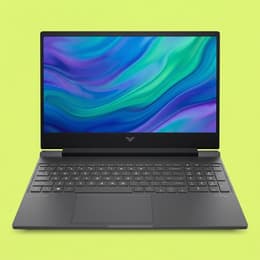
Decent screen and impressive build quality meet excellent battery life in an entry-level gaming laptop.
The MacBook Air M1 is the best cheap laptop overall because it combines premium performance with long-term value better than anything else. Even several years after its release, the M1 chip still handles everyday work, multitasking, streaming, creative tasks, and office productivity easily. Its up to 18-hour battery life stands far above the competition, while the lightweight aluminium body still gives off a premium feel in 2026. It’s also one of the top entry-level AI laptops. The sharp Retina display, excellent keyboard, and consistent macOS experience also help it outperform many newer budget laptops. Refurbished pricing makes it far more accessible today, so you get flagship-level quality without flagship-level costs.
As the best basic laptop for everyday use, we go with the Dell Inspiron 15 for its overall performance and battery life. Uni students will find the Lenovo IdeaPad 3 Chromebook a reliable campus companion. The MacBook Air M1 now makes an affordable choice for Apple fans, while the HP Victus 15 is a great entry-level gaming laptop. For business professionals, the budget-priced Acer Aspire 5 ticks all the boxes for dependable performance.
When you’re shopping for a value-for-money laptop, focus on the features that affect your daily performance the most. You’ll want to aim for at least 8 GB of RAM, so multitasking is still fast enough, and choose an SSD rather than a slower hard drive for storage. Battery life is also important, especially if you travel, study, or work remotely. Look for a Full HD display with a resolution of 1920 x 1080 for better visuals and easier reading. Modern AMD Ryzen, Intel Core i5, or Apple M-series chips generally offer the most dependable everyday speed. Finally, think about portability, build quality, connectivity options, and long-term software support before making your decision.
Our in-house reviewers are all experts in the technologies they examine and review. We're one of the world's leading online marketplaces for refurbished electronics, using accomplished refurbishers who test the details of the products we sell. Their testing and feedback give us a deep knowledge base to draw on when creating these lists.
We're also completely agnostic, not favouring any brand over another, so you can trust our objectivity. We don't play favourites, treating each laptop on its own merits without any sort of bias. Furthermore, we also track user feedback and reviews on our platform to gauge popularity and the pros and cons of each item. Our goal is to always give you full transparency and knowledgeable opinions so that you can make informed decisions.
✨ The Dell Inspiron 15 has everything you need for light everyday use at a budget-friendly price.
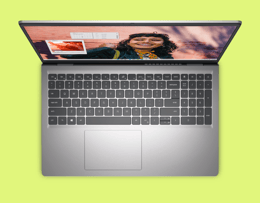
The Dell Inspiron 15 is a cheap, reliable, and effective everyday laptop.
Pros ✅ | Cons ❌ |
|---|---|
Smooth everyday performance | Some base configs use a basic HD screen |
Good selection of ports | Not built for gaming or heavy creative work |
FHD webcam and dual microphones | Battery life is solid rather than class-leading |
Light enough for commuting |
The Dell Inspiron 15 has all the basics covered for everyday computing. Dell lists it as being built for everyday computing, improved usability for home learning, and essential productivity features. A 13th Gen Intel Core i5 configuration gives it enough speed for browsing, documents, video calls, and routine multitasking, while the FHD webcam and broad port selection add useful day-to-day value. It also starts at 1.65 kg, so it’s easy enough to carry around between places like home, work, and class. It’s not a premium laptop, but for a value laptop under £500 that gets the job done, it is a strong starting point.
Chipset: 13th Generation Intel Core i5-1335U
Operating system: Windows 11 Home
Processor speed: Up to 4.6 GHz
RAM: 8 GB
Storage: 512 GB
Screen size: 15.6 in
Display: 1920 x 1080
Graphics processor: Intel Iris Xe Graphics
Battery life: Up to 9 hours 15 minutes
Connectivity: Wi-Fi 6, Bluetooth
Dimensions: 0.67 to 0.75 x 14.11 x 9.27 inches
Weight: 1,620 g
"… This is a sensible mainstream choice for documents, web work, video calls, and household admin." - DigitalCritic
✨ The Lenovo IdeaPad 3 Chromebook is a compact, uni-ready laptop.
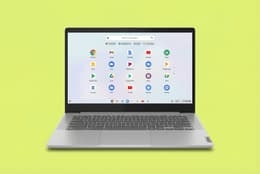
The Lenovo IdeaPad 3 Chromebook is a capable campus companion.
Pros ✅ | Cons ❌ |
|---|---|
Easy portability | Touchpad doesn't always track accurately |
Very decent battery life | Cannot run Windows/macOS apps |
Bright, sharp display |
The Lenovo IdeaPad 3 Chromebook is an affordable and lightweight machine that makes an ideal laptop for uni students. It's compact and easy to carry around. While it won't support resource-intensive coursework, software for graphic design, or data modelling, it's great for notetaking, research, and other coursework like writing papers, creating spreadsheets, and giving presentations. It also has an excellent 1080p webcam for collaborating with other students on projects. The full high definition (FHD) touchscreen is a very useful bonus. The only noticeable drawback is that it can slow down when running too many different apps simultaneously. Not sure if a Chromebook is right for you? Check out our Chromebook vs laptop guide.
Chipset: Intel Core i3-N305
Operating system: ChromeOS
Processor speed: 1.8 GHz base, boosting up to 3.80 GHz
RAM: 8 GB
Storage: 64 GB / 128 GB / 256 GB
Screen size: 14 in
Display: 1920 x 1080 with 60Hz Touchscreen
Graphics processor: Intel UHD Graphics
Battery life: Roughly 11 hours
Connectivity: Wi-Fi, Bluetooth
Dimensions: 0.76 x 12.77 x 8.51 inches
Weight: 1,550 g
"The Lenovo IdeaPad Slim 3i Chromebook 14 (2023) is the best laptop for students we've tested in the cheap category." - RTINGS.com

Refurbished price:£622.00
Versus £657.46 new
Refurbished price:£727.00
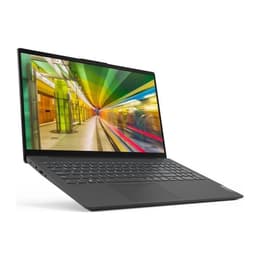
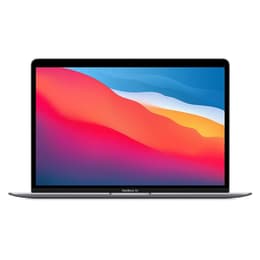
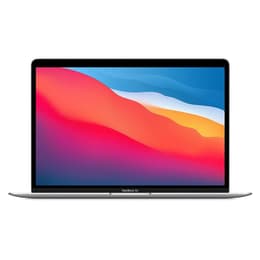
✨ The MacBook Air M1 offers premium Apple features without the expensive price tag.

The MacBook Air M1 remains a highly capable premium laptop.
Pros ✅ | Cons ❌ |
|---|---|
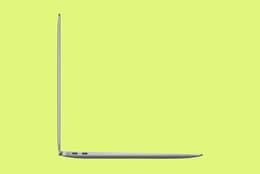
Excellent value for a MacBook | Only 2 USB ports, one used for charging (no MagSafe charging point) |
Exceptionally long battery life | No touch-screen option |
Ultra-slim design with impressive build quality | Design may seem outdated to some |
Premium quality keyboard and touchpad | Webcam only has 720p resolution |
Very sharp display resolution |
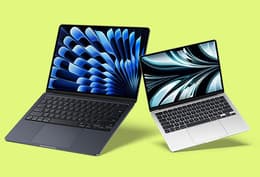
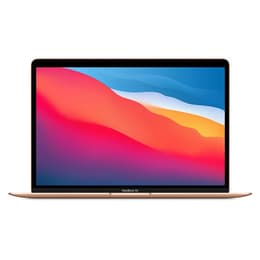
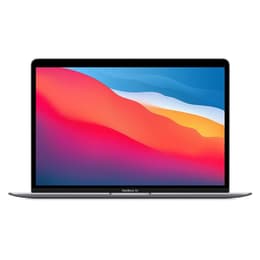
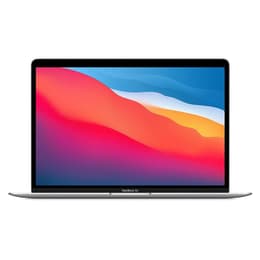
The 2020 MacBook Air makes an excellent choice for Apple fans looking for a cheaper alternative to the latest MacBook prices. It retains very impressive credentials and now represents some of the best value you can get in a Mac. It has been one of the most popular models since its release, thanks to its ultra-slim design, its lightweight portability, and the performance power of the M1 chip. Furthermore, it has a wonderfully responsive keyboard and one of the best touchpads you'll find on any laptop. Its Retina display is exceptionally sharp with a higher resolution than most mainstream laptops, even in 2026. Having been superseded by newer models, you can pick up this gem of a laptop at great prices today.
Chipset: Apple M1
Operating system: Apple macOS
Processor speed: 3.2 GHz
RAM: 8 GB
Storage: 256 GB
Screen size: 13.3 in
Display: 2560 x 1600
Graphics processor: Apple M1
Battery life: Up to 18 hours
Connectivity: Wi-Fi, Bluetooth
Dimensions: 0.63 x 11.97 x 8.36 inches
Weight: 1,290 g
"The MacBook Air with the M1 chip is the most impressive laptop I’ve used in years." - The Verge
Refurbished price:£450.00
Versus £999.00 new
Refurbished price:£438.00
Versus £999.00 new
Refurbished price:£449.00
Versus £999.00 new
Refurbished price:£540.00
Versus £1,175.67 new
Refurbished price:£495.00
Versus £1,249.00 new
Refurbished price:£439.00
Versus £1,199.00 new
Refurbished price:£500.00
Versus £1,199.00 new
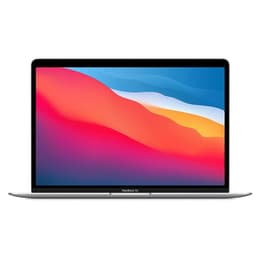
Refurbished price:£569.00
Versus £1,199.00 new
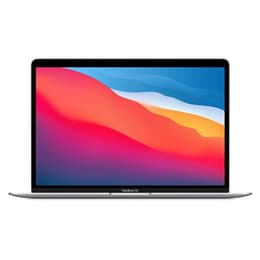
Refurbished price:£525.00
Versus £1,249.00 new
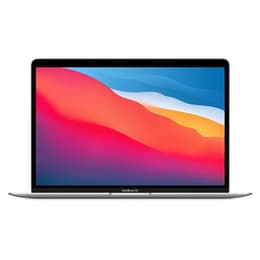
Refurbished price:£625.00
Versus £1,359.91 new
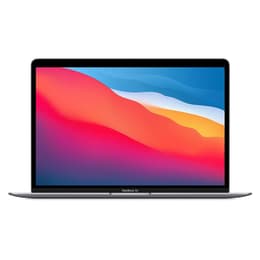
Refurbished price:£519.00
Versus £1,199.00 new
Refurbished price:£579.00
Versus £1,162.54 new
Refurbished price:£719.00
Versus £1,399.00 new
Refurbished price:£849.00
Versus £1,649.00 new
Refurbished price:£550.00
Versus £999.00 new
Refurbished price:£570.00
Versus £1,199.00 new
✨ The Acer Aspire 5 has everything you need for daily office work and business travel.
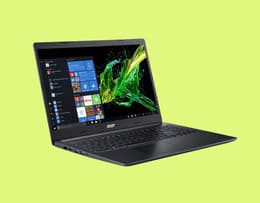
The Acer Aspire 5 blends affordability with good performance.
Pros ✅ | Cons ❌ |
|---|---|
Very affordable price | Not a high-performance laptop |
Sturdy build quality | Limited ports |
Vividly bright display | Basic 720p webcam |
Comfortably handles routine office work | Comparatively short battery life |
The Acer Aspire 5 is a solid and dependable entry-level refurbished business laptop for a very reasonable cost. It's universally rated as one of the best affordable laptops for everyday business productivity and office use. It feels solidly built, with a robust chassis that easily shrugs off the occasional bump on business trips. The screen resolution is clear and bright with a non-reflective matte finish to reduce glare in daylight. While it slows down somewhat when running resource-hungry software, it's still a perfectly good office laptop for non-specialised work and running productivity suites like Microsoft 365. Its relatively light weight makes it comfortable to carry around all day long on business.
Chipset: Intel Core i5
Operating system: Windows 11
Processor speed: 1.7 GHz
RAM: 8 GB
Storage: 512 GB
Screen size: 14 in
Display: 1920 x 1080
Graphics processor: Iris Xe
Battery life: About 6.5 hours
Connectivity: Wi-Fi 6, Bluetooth 5.0
Dimensions: 0.71 x 12.9 x 8.8 inches
Weight: 1,700 g
"We've long championed the Acer Aspire 5 for anyone looking for a cheap laptop that manages to balance a low price with good performance." - TechRadar

✨ The HP Victus 15 offers consistent moderate gaming power at an attractively low price.
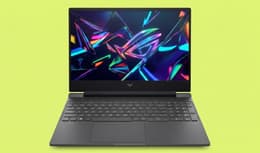
The HP Victus 15 is a surprisingly good entry-level gaming laptop.
Pros ✅ | Cons ❌ |
|---|---|
Affordable gaming abilities | Doesn't handle very high-end games with demanding graphics |
Decent gaming screen | Upgrades can boost the price to out-of-budget range |
Very good battery life | Plastic build |
Comfortable gaming keyboard |
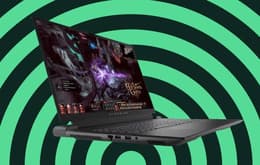
The HP Victus 15 is an excellent choice for an entry-level gaming laptop. Even in its basic configuration, it can handle many modern games, including RPGs and first-person shooters. This is somewhat of a purpose-built laptop, designed specifically for gaming. It's also a great platform for add-on features. Inserting a more powerful graphics card will boost it into a more capable configuration, for instance. It has a satisfyingly long battery life, and the frame-refresh rate is decent enough to handle local and online play. Bump-ons run along the entire width underneath, creating a stable physical platform. While it is a bit more expensive than the other laptops in this list, as an entry-level model, it's still decidedly cheap for a gaming laptop.
Chipset: Intel Core i7
Operating system: Windows 11
Processor speed: 4.7 GHz
RAM: 16 GB
Storage: 512 GB
Screen size: 15.6 in
Display: 1920 x 1080
Graphics processor: RTX 4050 with 6 GB VRAM
Battery life: Just under 6 hours of gaming
Connectivity: Wi-Fi 6, Bluetooth 5.3
Dimensions: 0.93 x 14.09 x 10.04 inches
Weight: 2,295 g
"The HP Victus 15 will play most of today’s AAA games at medium settings, and the 1080p screen is fast enough to satisfy fans of fast-paced shooters." - PCWorld

Feature | HP Victus 15 | ||||
|---|---|---|---|---|---|
Chipset | 13th Generation Intel Core i5-1335U | Intel Core i3-N305 | Apple M1 | Intel Core i5 | Intel Core i7 |
Operating system | Windows 11 Home | ChromeOS | Apple macOS | Windows 11 | Windows 11 |
Processor speed | Up to 4.6 GHz | 1.1 GHz | 3.2 GHz | 1.7 GHz | 4.7 GHz |
RAM | 8 GB | 8 GB | 8 GB | 8 GB | 16 GB |
Storage | 512 GB | 64 GB / 128 GB / 256 GB | 256 GB | 512 GB | 512 GB |
Screen size | 15.6 in | 14 in | 13.3 in | 14 in | 15.6 in |
Display | 1920 x 1080 | 1920 x 1080 | 2560 x 1600 | 1920 x 1080 | 1920 x 1080 |
Graphics processor | Intel Iris Xe Graphics | Intel UHD Graphics | Apple M1 | Iris Xe | RTX 4050 (6 GB VRAM) |
Battery life | Up to 9 hours 15 minutes | Just over 13 hours | Roughly 29 hours | About 6.5 hours | About 6 hours gaming |
Connectivity | Wi-Fi 6, Bluetooth | Wi-Fi, Bluetooth | Wi-Fi, Bluetooth | Wi-Fi 6, Bluetooth 5.0 | Wi-Fi 6, Bluetooth 5.3 |
Dimensions | 0.67 to 0.75 x 14.11 x 9.27 in | 0.71 x 11.28 x 8.09 in | 0.63 x 11.97 x 8.36 in | 0.71 x 12.9 x 8.8 in | 0.93 x 14.09 x 10.04 in |
Weight | 1,620 g | 1,120 g | 1,290 g | 1,700 g | 2,295 g |
Back Market Price | From £439.99* | From £291* | £308* | £329 * | £563* |
New Price | £600 | £350 | £999.00 | £600.00 | £699.00 |
You save | 70% | 16% | 69% | 52% | 19% |
Best use-case recommendation | Best for everyday home users who need a dependable Windows laptop for web browsing, streaming, emails, online shopping, video calls, and light office work. | Best for students who mainly use cloud-based apps for notetaking, research, presentations, online classes, and coursework on the go. | Best for Apple users, remote workers, and creatives who want high-end performance, excellent battery life, portability, and long-term reliability at a lower price. | Best for office professionals and small business users who need dependable productivity performance for spreadsheets, Microsoft 365, meetings, and multitasking. | Best for entry-level gamers who want affordable gaming performance for modern AAA games, e-sports titles, streaming, and casual content creation. |
*Prices written at time of publication. Prices can change daily.
✨ If you want a great discount on a reputable laptop AND do your part for the environment, refurbished is the way to go.
Among the most valuable shopping tips we can give you is to choose one of our refurbished laptops rather than buying new ones for two powerful reasons.
First, consider the savings. You'll pay much less than you would if you bought these laptops new. You can save as much as 50% on the recommended retail price when you shop on Back Market, and these are every bit as good as new ones. They've been diligently restored to their original performance benchmarks by our expert, verified, third-party refurbishers. After this best-in-class restoration, the laptops are put through a battery of exacting tests using up to 100-point quality inspection process to ensure peak performance. We put our money where our mouths are on this by giving you a 1-year warranty and free 30-day returns. We also offer a BackUp protection plan for longer-term assurance. Second, by choosing a refurbished laptop, you'll be part of breaking the unsustainable cycle of disposable fast tech. Every item bought through us would otherwise have become electronic waste. You can enjoy your new laptop while feeling good about reducing your own carbon footprint and contributing to an eco-friendlier digital economy.
As for the best cheap laptop to get? That's a matter of personal choice, depending on what you need. Read up a bit more on the ones in our list and ask around for personal opinions. You can also check our customer reviews for more insights. We've selected our recommendations for the best ones to get, but if all you want is something really cheap, then check out our Chromebook selection for a laptop under 100.
You can save even more on a replacement laptop by trading in your old one or any other electronic device you don't use anymore. It's quick and easy: fill in a short form giving us the specs, and you'll instantly receive an offer from one of our refurbishment partners. We'll pay for you to ship it to us, and within 5 business days your payment will arrive.
We’ve given you the lowdown on recommended cheap laptops for some of the most common uses, but our selection goes well beyond these models. You might need a laptop for something entirely different, like rugged outdoor work or 3D modelling. On Back Market, you’ll always find some of the best laptop deals around, with amazing discounts on top-quality machines. Browse whenever you need to—with us, the savings never stop.
When not talking about the latest eco-friendly tech and reducing our carbon footprint, Brian enjoys the odd game of football, a classic horror (book or film) or just to kick back with a beer or a proper Scottish whisky. Slàinte Mhath!