
Compare models

Dell Latitude 5490 14" Vs HP EliteBook 840 G7 14"

  • 1-year minimum warranty
  • Free delivery on all items
  • Free 30-day returns
Dell Latitude 5490 14"
Starting at

Refurbished price:£228.00

Versus £793.00 new

See options
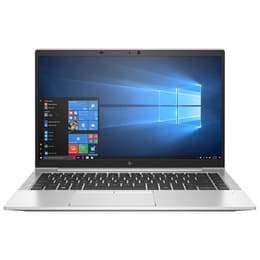
HP EliteBook 840 G7 14"
Starting at

Refurbished price:£259.00

Versus £585.81 new

See options

Differences at a glance

The Dell Latitude 5490 (2018) and the HP EliteBook 840 G7 (2020) are 14-inch professional laptops designed for productivity, office tasks, and everyday computing. While both run on the Microsoft Windows operating system and offer robust business-oriented features, they belong to different hardware generations, bringing notable distinctions in physical design, release year, and internal capabilities. Choosing between these two devices largely depends on whether a user prioritizes newer hardware architecture or a familiar business workhorse.

Available Models

Storage

Processor

Memory

Scores

Durability

When evaluating longevity and physical endurance, both notebooks are built to handle daily professional routines, though their release years create a gap in software support timelines.

  • Release timeline and support: The HP model launched two years after the Dell, giving it an extended window for upcoming operating system updates and security patches.
  • Build and repairability: Both laptops feature sturdy business-grade chassis designed to resist daily wear, with accessible internal components that facilitate component replacements.
  • Expected lifespan: Users can expect reliable performance for everyday tasks from both machines, with the newer HP variant retaining software compatibility further into the future.

Year of Release

2017

2019

OS

Windows 11

Windows 11

Performance

Internal hardware differences dictate how each laptop manages multitasking, application loading speeds, and overall system responsiveness during daily workloads.

  • Multitasking and responsiveness: The HP model utilizes a later-generation processor architecture that handles switching between demanding web applications and office programs with minimal stutter.
  • Storage and memory: Both configurations typically support solid-state drives for rapid boot times alongside adequate memory capacities for running multiple browser tabs simultaneously.
  • Everyday execution: Standard office tasks like document editing and video calls run smoothly on both machines, though the newer processor in the HP provides an edge during heavy workloads.

Graphic card

Integrated Graphics

Integrated Graphics

Screen quality

Both laptops feature 14-inch displays designed primarily for office work and content consumption, but they differ in visual clarity and panel characteristics.

  • Display technology: Each device utilizes matte anti-glare panels to reduce reflections under bright office lighting, minimizing eye strain during extended work sessions.
  • Resolution and brightness: Standard configurations offer crisp high-definition resolutions paired with adequate brightness levels for indoor environments and standard workspaces.
  • Viewing experience: Panel viewing angles and color reproduction are well-suited for productivity and text-based tasks, though neither device is targeted at color-critical creative work.

Audiovisual

Media consumption and communication features vary slightly between the two business-focused notebooks, impacting video calls and multimedia use.

  • Camera and privacy: Both include integrated webcams suitable for video conferencing, with the HP model frequently incorporating a physical privacy shutter for added security.
  • Audio output: Built-in speakers provide clear voice frequencies for meetings, though external headphones or speakers are recommended for immersive media consumption.
  • Microphone clarity: Integrated microphone arrays capture speech cleanly for online calls while filtering out minor background noise in typical office settings.

Miscellaneous

Physical dimensions, port selections, and connectivity standards dictate how easily each laptop integrates into mobile and desktop workflows.

  • Port variety: Both devices offer comprehensive port selections including traditional USB connectors and video outputs, while the HP variant additionally supports versatile docking standards.
  • Portability: The HP EliteBook features a noticeably thinner and lighter aluminum chassis, making it slightly easier to carry in a backpack during travel.
  • Connectivity: Modern wireless standards ensure stable local network connections and peripheral pairing on both notebooks.

Weight

1600 g

2500 g

Screen size

14

14

What the community thinks

User feedback highlights distinct preferences for each laptop based on daily usage habits. Owners of the Dell Latitude 5490 frequently praise its reliable keyboard feel, sturdy physical construction, and dependable performance for basic administrative tasks. On the other hand, users of the HP EliteBook 840 G7 often emphasize its sleeker profile, modern aesthetic, and slightly faster response times during heavier multitasking. Common criticisms for both models point to mediocre built-in speakers and standard webcams that lag behind consumer entertainment devices.

Users prioritizing maximum portability and a newer hardware generation will find the HP EliteBook 840 G7 well-suited to their needs, while users looking for a straightforward, sturdy machine for everyday office work may lean toward the Dell Latitude 5490. Buyers seeking an eco-friendly alternative can explore quality-assured refurbished options for both models, providing a sustainable choice that extends the lifecycle of reliable business technology.

Our recent comparisons