
Compare models
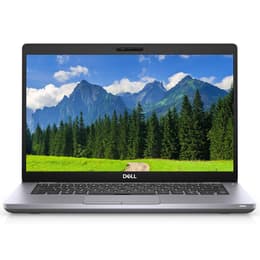
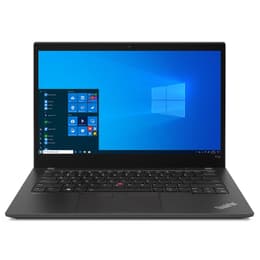
Dell Latitude 5410 14" Vs Lenovo ThinkPad T14 G2 14"
- 1-year minimum warranty
- Free delivery on all items
- Free 30-day returns
Differences at a glance
The Dell Latitude 5410 (2020) and the Lenovo ThinkPad T14 Gen 2 (2021) are 14-inch business laptops built for everyday professional tasks, academic environments, and remote work. While both devices offer robust durability features and reliable typing experiences suited for productivity, they stem from different generations with distinct hardware foundations. The Dell Latitude 5410 runs on Windows operating systems with classic enterprise management utilities, whereas the Lenovo ThinkPad T14 Gen 2 introduces newer processing architecture and enhanced connectivity options. Understanding these core differences helps users select the machine that best fits their daily workflow needs.
Available Models
Storage (GB)
Processor
Memory (GB)
Scores
Durability
When examining longevity and hardware support, both laptops provide solid foundations for long-term professional or student use, though their release years create a slight gap in software lifecycle expectations.
- Release timeline and support: The Lenovo ThinkPad T14 Gen 2 benefits from a one-year newer release date compared to the Dell Latitude 5410, translating to a slightly extended window for firmware updates and security patches.
- Repairability and build: Both commercial-grade chassis are designed with modular components, allowing straightforward replacement of keyboards, batteries, and storage drives to extend their working lifespan.
- Software longevity: Both machines handle modern operating system upgrades efficiently, ensuring dependable day-to-day operation for several years, with quality-assured refurbished options providing a sustainable way to maximize device utility.
Year of Release
2020
2021
Last Os Compatibility
Yes
Yes
OS
Windows 11
Windows 11
Performance
Performance capabilities vary based on the internal generations of each laptop, affecting how smoothly they handle multitasking, web browsing, and demanding desktop applications.
- Multitasking and memory: Both models support flexible RAM configurations that handle dozens of browser tabs and office applications concurrently without noticeable slowdowns.
- Storage and responsiveness: Solid-state drive configurations in both devices ensure rapid system boot times, quick application launches, and swift file transfers during heavy daily use.
- Processor behavior: The Lenovo model utilizes a newer processor generation that yields faster execution speeds in demanding software tasks, while the Dell model delivers stable, consistent output for standard administrative duties.
Graphic card
Integrated Graphics
Integrated Graphics
Screen quality
Display characteristics across both 14-inch laptops focus primarily on reducing eye strain during long working sessions rather than multimedia spectacle.
- Panel technology: Both laptops feature anti-glare display panels that minimize reflections from overhead office lighting, contributing to comfortable viewing over extended hours.
- Resolution and clarity: Standard configurations offer crisp text rendering and clear visual layouts suitable for spreadsheets, document editing, and video conferencing.
- Brightness and outdoor use: Typical maximum brightness levels on both screens are adequate for indoor environments, though direct sunlight requires seeking shade for comfortable visibility.
Resolution
1920 x 1080
1920 x 1080
Screen type
IPS
IPS
Camera
Audiovisual
Multimedia and communication features on these business laptops prioritize reliable virtual meetings and clear audio transmission over high-end media creation.
- Webcam performance: Both models include standard definition webcams equipped with physical privacy shutters, delivering acceptable image quality for routine video calls under normal lighting.
- Microphone clarity: Integrated dual-array microphones effectively capture speech while reducing background office noise during virtual conferences.
- Speaker output: Down-firing stereo speakers produce clear dialogue for voice calls and online lectures, though external headphones or speakers are recommended for music and media consumption.
Miscellaneous
Practical design elements, port selections, and physical dimensions shape how easily these laptops adapt to mobile work environments and desk setups.
- Port variety: Both devices offer comprehensive physical connectivity, including traditional USB ports, network jacks, and video output options, reducing the need for external adapters.
- Mobility and weight: Weighing very similarly around the 1.4 to 1.5 kilogram mark, both laptops slide easily into standard backpacks for daily commuting.
- Input peripherals: The Lenovo model features its signature tactile keyboard layout and trackpoint navigation, whereas the Dell model provides a spacious layout with responsive key travel for comfortable typing.
Weight
1470 g
7500 g
Screen size
14
14
What the community thinks
Choosing between the Dell Latitude 5410 and the Lenovo ThinkPad T14 Gen 2 depends heavily on individual workflow preferences and daily priorities. Users prioritizing a slightly newer hardware generation and enhanced processing speed for heavier multitasking may lean toward the Lenovo ThinkPad T14 Gen 2. Conversely, users who value a reliable, straightforward administrative workstation with classic enterprise connectivity will find the Dell Latitude 5410 well-suited to their needs. Selecting either machine as an eco-friendly, quality-assured refurbished device allows buyers to make a sustainable choice without compromising on professional reliability. Ultimately, both laptops offer robust build quality and dependable performance for students, professionals, and travelers alike.