(6,973)
Refurbished price:£433.00
Versus £749.00 new

Updated on 3 August 2026
3 August 2026
13 mins read

Haziq
Tech Expert for Back Market UK, Ireland & Australia
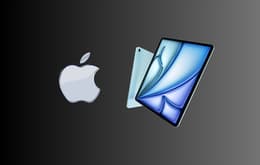
If you're wondering “which iPad should I buy?”, the answer depends on how you plan to use it, but for most people, the iPad Air (M4) is the best choice in 2026. It offers nearly everything that makes the iPad Pro great while costing considerably less. With Apple's M4 chip, Apple Intelligence support, Apple Pencil Pro compatibility, and a choice of 11-inch or 13-inch displays, it has enough performance for work, studying, creative apps, gaming, and entertainment without paying for features many people won't fully use.

The iPad Air (M4) is the best iPad for most people in 2026 because it gives us flagship-level performance, Apple Intelligence support, and Apple Pencil Pro compatibility without the premium price of the iPad Pro. Choose the standard iPad if you're on a budget, the iPad mini if portability matters the most, and the iPad Pro if you regularly edit video, create digital art, or want a genuine laptop replacement. Buying refurbished is one of the easiest ways to save money while still getting years of software support and excellent performance.
Back Market is one of the world's leading marketplaces for refurbished technology, giving us a unique view of how Apple devices perform long after they're released. Rather than looking only at launch-day reviews, we see which iPads continue to deliver excellent value, which models customers keep buying, and which generations remain worth recommending years later.
We've combined our refurbishment expertise with independent testing, Apple's official specifications, and trusted reviews from leading technology publications to compare the current iPad lineup. We also considered long-term software support, Apple Intelligence compatibility, Apple Pencil support, performance, battery life, and overall value to give you the best recommendations.
Best entry-level iPad
Best iPad for kids
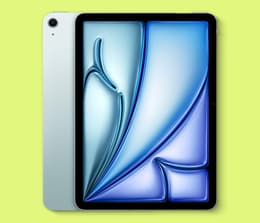
Best iPad overall
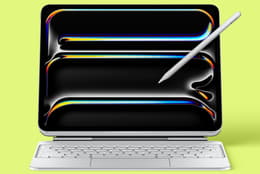
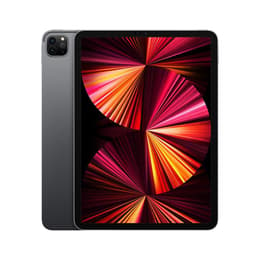
Best iPad for creatives
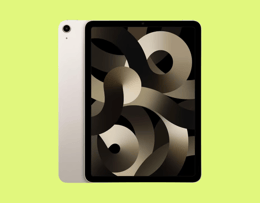
Best older refurbished iPad
✨ The iPad Air (M4) gives most people almost everything the iPad Pro offers while costing significantly less, making it the top recommendation in Apple's entire lineup.
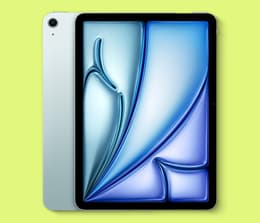
If you're wondering which iPad you should buy, the iPad Air (M4) is the model that makes the most sense for the majority of buyers. It gives you many of the features found on the iPad Pro while costing way less.
The M4 chip gives the iPad Air more than enough power for everyday tasks, multitasking, photo editing, video editing, gaming, and productivity apps. It also supports Apple Intelligence, Apple Pencil Pro, and the Magic Keyboard, and is available in both 11-inch and 13-inch sizes, giving buyers the flexibility to choose the display that suits them best. Apple also rates the battery for up to 10 hours of web browsing or video playback on Wi-Fi models.
"It’s my first ever tablet, and this is one of the best pieces of technology I’ve ever used." –Reddit user
Pros ✅ | Cons ❌ |
|---|---|
Excellent balance of price and performance | 60Hz display instead of ProMotion |
M4 chip offers desktop-class performance | OLED display remains exclusive to iPad Pro |
Supports Apple Pencil Pro and Magic Keyboard | Accessories are sold separately |
Available in both 11-inch and 13-inch sizes | Face ID isn't available |
The iPad Air (M4) is capable enough for work, studying, entertainment, gaming, and creative projects without paying for features many users won't fully utilise. Apple Pencil Pro support makes it ideal for notetaking, illustration, and editing documents, while Magic Keyboard compatibility allows it to replace a laptop for many everyday workflows. Support for Apple Intelligence also helps future-proof the device as Apple continues expanding its AI features.
Apple M4 chip
11-inch or 13-inch Liquid Retina display
Apple Intelligence support
Apple Pencil Pro and Apple Pencil (USB-C) compatibility
Magic Keyboard support
Up to 1 TB storage
Wi-Fi 7 and optional 5G
Up to 10 hours battery life for web browsing or video playback on Wi-Fi
✨ The standard iPad (A16) gives you everything most people need without paying for professional features you may never use.
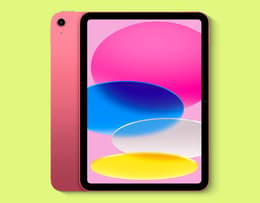
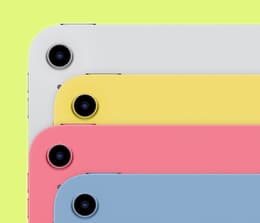
If your priorities are streaming, web browsing, social media, emails, shopping, video calls, schoolwork, and light gaming, the standard iPad (A16) is the best budget iPad you can buy. As the best value iPad that UK shoppers can currently get, it offers excellent everyday performance while still being significantly more affordable than the Air or Pro.
The A16 chip is fast enough for everyday multitasking, and Apple has increased the starting storage to 128 GB, giving buyers much more room for apps, photos, and downloads than previous entry-level models. The tablet also supports the Apple Pencil (USB-C) and Magic Keyboard Folio, so it’s practical for students, families, and first-time iPad owners.
"I’ve had a really good experience with my iPad so far. It works great, the battery health is still at 100%, and overall, it’s been very reliable." –Amara W.
Pros ✅ | Cons ❌ |
|---|---|
Lowest-priced current iPad | Doesn't support Apple Pencil Pro |
128 GB base storage | Less powerful than M-series models |
Excellent value for everyday use | Limited for demanding creative workloads |
Supports Magic Keyboard Folio | No support for Apple Intelligence |
The iPad (A16) is made for the tasks most people perform every day. It comfortably handles web browsing, streaming services, FaceTime, notetaking, online learning, casual gaming, and office apps while sticking to Apple's advertised all-day battery life. Buyers who choose a refurbished model can reduce the price even further without losing out on these core features.
Apple A16 chip
11-inch Liquid Retina display
128 GB starting storage
Apple Pencil (USB-C) support
Magic Keyboard Folio support
Wi-Fi 6 and optional 5G
USB-C
Up to 10 hours battery life
✨ The iPad Air (M4) has enough performance to comfortably last throughout university while being considerably cheaper than the iPad Pro.
Students need an iPad that will remain fast throughout several years of study, support handwritten notes, handle productivity apps, and occasionally replace a laptop. The iPad Air (M4) ticks all of those boxes better than any other model in Apple's lineup.
The M4 processor has more than enough power for Microsoft Office, Google Workspace, research, coding, presentations, graphic design, video editing, and multitasking. Support for Apple Pencil Pro creates a natural notetaking experience, while the Magic Keyboard transforms the Air into a capable device for writing essays and completing coursework.
Pros ✅ | Cons ❌ |
|---|---|
Powerful enough for an entire degree | More expensive than the standard iPad |
Apple Pencil Pro support | Accessories increase the overall cost |
Magic Keyboard compatibility | 60Hz display |
Excellent long-term software support | Some students won't need M4 performance |
The iPad Air gives students the flexibility to take handwritten notes, edit documents, attend online lectures, research assignments, create presentations, and run demanding creative software without slowing down. The lightweight design is easy to carry around campus, while Apple's M4 chip offers performance that should comfortably outlast most degree programmes.
For a closer look at storage, accessories, and pricing, see our full guide to the best iPad for students.
Apple M4 chip
11-inch or 13-inch Liquid Retina display
Apple Intelligence support
Apple Pencil Pro compatibility
Magic Keyboard support
Up to 1 TB storage
Wi-Fi 7 and optional 5G
Up to 10 hours battery life
✨ If your work involves photo editing, video production, illustration, or 3D design, the iPad Pro (M5) offers Apple's most advanced display and highest performance.
Powered by Apple's M5 chip, the latest iPad Pro is designed for intensive creative workloads, including editing 4K and 8K video, producing digital illustrations, creating music, rendering 3D models, and working with large RAW photo libraries. Its Ultra Retina XDR OLED display delivers exceptional contrast, colour accuracy, and brightness, while ProMotion technology provides an adaptive refresh rate of up to 120Hz for smoother scrolling and Apple Pencil input. These features make drawing, animation, and editing feel far more natural than on standard 60Hz displays. Apple Pencil Pro support also adds squeeze gestures, barrel roll, and haptic feedback for greater precision.
"Fantastic. I have used this every day since I have gotten it with no issue. It arrived on time, with the right packaging and was excellent as described." –Adetunji O.
Pros ✅ | Cons ❌ |
|---|---|
Apple's most powerful iPad | Most expensive iPad available |
Ultra Retina XDR OLED display | More performance than most people need |
ProMotion 120Hz display | Accessories sold separately |
Excellent Apple Pencil Pro experience | iPadOS may still limit some desktop workflows |
Outstanding colour accuracy |
The iPad Pro is built for demanding creative work. Applications such as Adobe Photoshop, Lightroom, DaVinci Resolve, Final Cut Pro for iPad, Logic Pro for iPad, Affinity Designer, Affinity Photo, and Procreate all benefit from its powerful processor and advanced display. The OLED screen produces deeper blacks and more accurate colours, while ProMotion reduces Apple Pencil latency to create a natural drawing experience. It also includes Thunderbolt connectivity and support for external displays.
Apple M5 chip
11-inch or 13-inch Ultra Retina XDR OLED display
ProMotion adaptive refresh rate up to 120Hz
Apple Pencil Pro compatibility
Thunderbolt / USB 4
Magic Keyboard support
Up to 2 TB storage
Apple Intelligence support
Up to 10 hours battery life
Refurbished price:£433.00
Versus £749.00 new
Refurbished price:£469.00
Versus £1,149.00 new
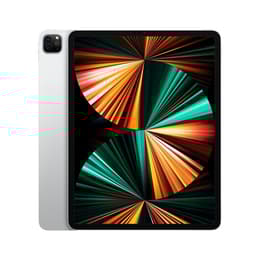
Refurbished price:£509.00
Versus £1,149.00 new
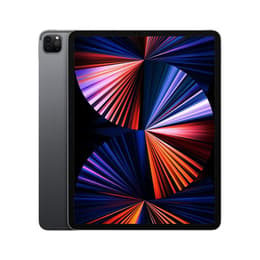
Refurbished price:£874.00
Versus £1,299.00 new
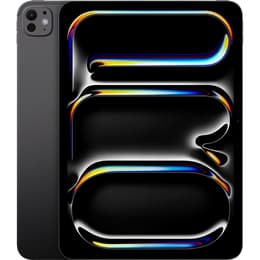
Refurbished price:£467.00
Versus £1,069.00 new
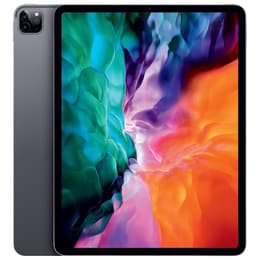
Refurbished price:£854.00
Versus £1,127.00 new
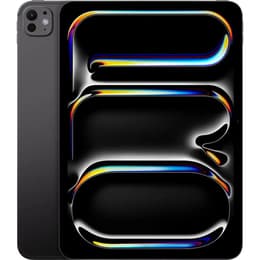
Refurbished price:£547.00
Versus £899.00 new
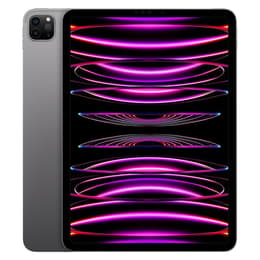
Refurbished price:£622.00
Versus £1,249.00 new
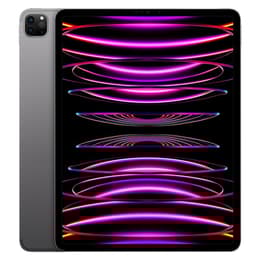
Refurbished price:£652.00
Versus £1,429.00 new
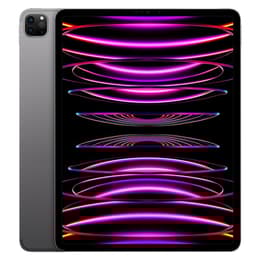
Refurbished price:£945.00
Versus £1,499.00 new
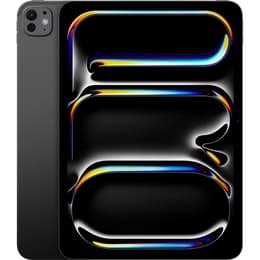
Refurbished price:£1,033.00
Versus £1,299.00 new
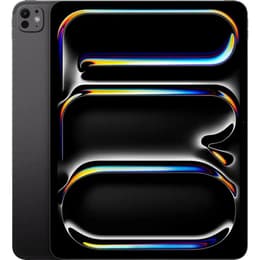
Refurbished price:£271.00
Versus £769.00 new
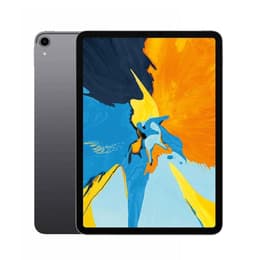
Refurbished price:£399.00
Versus £969.00 new
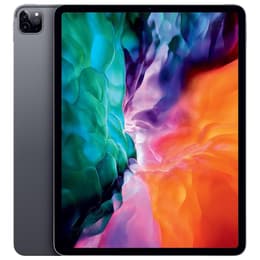
Refurbished price:£542.89
Versus £1,079.00 new
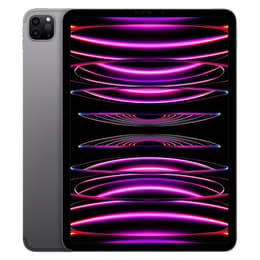
Refurbished price:£561.00
Versus £999.00 new
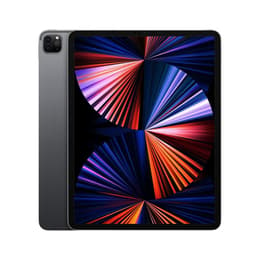
Refurbished price:£586.00
Versus £1,549.00 new
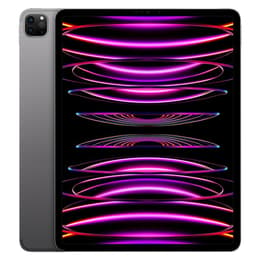
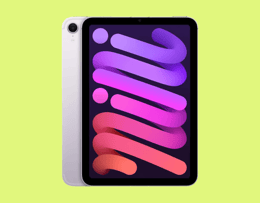
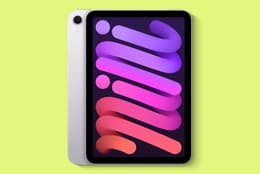
✨ The iPad mini (A17 Pro) delivers flagship performance in Apple's smallest and lightest tablet, making it perfect for kids thanks to its durable build, built-in parental controls and everyday portability.
Choosing the right iPad for children means balancing a size that's comfortable for them, strong parental controls, and a device that can survive everyday knocks and drops. The iPad mini (A17 Pro) checks every box, making it one of the easiest tablets to recommend for kids and younger students.
Its 8.3-inch Liquid Retina display is significantly easier to carry and for children to hold comfortably. Screen Time, Guided Access, and Apple's Family Sharing settings make it straightforward for parents to manage app limits and content restrictions. It’s powered by Apple's A17 Pro chip and also supports Apple Intelligence and Apple Pencil Pro, so it’s far more capable than its compact size suggests.
It’s also a top choice for adults that regularly travel, commute, or simply want something that's comfortable to hold for long periods.
"The entire process went like clockwork. The process was easy, and the delivery was prompt and extremely well packed. The iPad mini 7 worked perfectly." –David C.
Pros ✅ | Cons ❌ |
|---|---|
Compact and lightweight | Smaller display isn't ideal for multitasking |
Strong built-in parental controls | Keyboard options are limited |
A17 Pro chip offers excellent performance | Apple Pencil Pro sold separately |
Apple Pencil Pro support | Cellular models cost extra if needed for location tracking outside Wi-Fi |
Easy to carry every day |
The iPad mini is designed for portability without giving up on the high-performance features. It is easy for kids to carry to school or on trips, while Screen Time controls, App Store restrictions, and content filters give parents peace of mind. It's equally capable of handling schoolwork, educational apps, reading, and entertainment, making it a tablet that works for the whole family rather than just downtime.Apple Pencil Pro compatibility also makes it an excellent digital notebook for professionals working away from the office.
Apple A17 Pro chip
8.3-inch Liquid Retina display
Apple Pencil Pro compatibility
Apple Intelligence support
Screen Time and parental controls built into iPadOS
USB-C
Up to 512 GB storage
Wi-Fi 6E and optional 5G
Up to 10 hours battery life
✨ If you want an iPad that can genuinely replace a laptop for demanding work, the iPad Pro (M5) is the closest Apple has come.
Replacing a laptop means needing fast hardware, as well as a large display, support for professional accessories, powerful multitasking, and enough performance to handle demanding software without slowing down. The iPad Pro is one of the few tablets that can genuinely replace your laptop.
It combines Apple's M5 processor with Stage Manager, external display support, Thunderbolt connectivity, Magic Keyboard compatibility, and Apple Pencil Pro to create the most capable productivity setup in the iPad family. It comfortably handles office work, spreadsheets, presentations, coding, content creation, and multitasking across several applications.
Pros ✅ | Cons ❌ |
|---|---|
Exceptional performance | Premium price |
Excellent Magic Keyboard experience | iPadOS isn't identical to macOS |
Thunderbolt and external display support | Accessories add significantly to the cost |
Outstanding battery life |
The iPad Pro is built for professionals who spend their day working across multiple applications. Stage Manager improves multitasking, Thunderbolt allows fast external storage and displays, while the Magic Keyboard delivers a laptop-like typing experience complete with a large trackpad. Combined with Apple's M5 processor, the Pro comfortably handles demanding workflows that previously required a traditional laptop.
Apple M5 chip
11-inch or 13-inch Ultra Retina XDR OLED display
Thunderbolt / USB 4
Magic Keyboard support
Apple Pencil Pro compatibility
Up to 2 TB storage
Apple Intelligence support
Up to 10 hours battery life
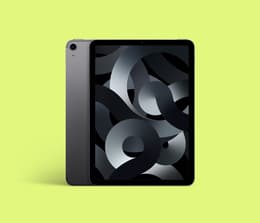
✨ The iPad Air (5th generation) remains one of the best refurbished iPads you can buy thanks to its M1 chip, long software support, and excellent value.
Buying refurbished is one of the easiest ways to save money on an iPad, but choosing the right generation is important. While older models are still available, the iPad Air (5th generation) stands out because it includes Apple's M1 processor, giving it performance that's still excellent for work, studying, gaming, creative apps, and everyday use.
The M1 chip also means the Air supports Apple Intelligence, so it’ll be relevant for years to come. Combined with Apple Pencil (2nd generation) compatibility, Magic Keyboard support, USB-C connectivity, and Apple's long software support history, it's one of the top refurbished purchases available in 2026.
Not sure whether an older model will keep receiving software updates? Here's how to check if a refurbished iPad can still get the latest iPadOS updates.
Pros ✅ | Cons ❌ |
|---|---|
M1 processor still performs exceptionally well | Older display technology than current Pro models |
Supports Apple Intelligence | Apple Pencil Pro isn't supported |
Excellent refurbished value | Fewer storage options available |
Long remaining software support |
The iPad Air (5th generation) is ideal for buyers who want flagship-level performance without paying flagship prices. The M1 processor continues to handle demanding apps comfortably, while support for Apple Pencil (2nd generation) and the Magic Keyboard means it’s still an excellent device for studying, productivity, creativity, and entertainment.
Apple M1 chip
10.9-inch Liquid Retina display
Apple Pencil (2nd generation) compatibility
Magic Keyboard support
USB-C
Up to 256 GB storage
Wi-Fi 6 and optional 5G
Up to 10 hours battery life
Use this Apple tablet comparison to weigh up processors, sizes, and pricing side by side.
Specs | iPad Air (M1) | iPad (A16) | iPad mini (A17) Pro | iPad Air (M4) | iPad Pro (M5) |
|---|---|---|---|---|---|
Processor | M1 | A16 | A17 Pro | M4 | M5 |
Display | 10.9-inch Liquid Retina display | 11-inch Liquid Retina | 8.3-inch Liquid Retina | 11-inch or 13-inch Liquid Retina | 11-inch or 13-inch Ultra Retina XDR OLED |
Refresh rate | 60Hz | 60Hz | 60Hz | 60Hz | ProMotion up to 120Hz |
Apple Intelligence | Yes | No | Yes | Yes | Yes |
Apple Pencil support | Apple Pencil (2nd generation), (USB-C) | Apple Pencil (USB-C) | Apple Pencil Pro | Apple Pencil Pro | Apple Pencil Pro |
Keyboard support | Magic Keyboard | Magic Keyboard Folio | Bluetooth keyboards | Magic Keyboard | Magic Keyboard |
Storage options | 64 GB, 256 GB | 128 GB, 256 GB, 512 GB | 128 GB, 256 GB, 512 GB | 128 GB, 256 GB, 512 GB, 1 TB | 256 GB, 512 GB, 1 TB, 2 TB |
USB | USB-C | USB-C | USB-C | USB-C | Thunderbolt / USB 4 |
Battery life | Up to 10 hours | Up to 10 hours | Up to 10 hours | Up to 10 hours | Up to 10 hours |
Best for | Older refurbished models worth buying | Everyday use | Travel and portability | Most people | Creative professionals |
Price of new | £569 | £329 | £599 | £749 | £1,099 |
Back Market price | £305 | £310 | £425 | £670 | £825 |
The latest Apple Pencil Pro introduces squeeze gestures, barrel roll, haptic feedback, and Find My support, but it's only compatible with Apple's newest iPads. Buyers choosing an older refurbished model should always check compatibility before purchasing.
iPad model | Apple Pencil compatibility |
|---|---|
iPad (A16) | Apple Pencil (USB-C) |
iPad mini (A17 Pro) | Apple Pencil Pro, Apple Pencil (USB-C) |
iPad Air (M4) | Apple Pencil Pro, Apple Pencil (USB-C) |
iPad Pro (M5) | Apple Pencil Pro, Apple Pencil (USB-C) |
iPad Air (5th generation) | Apple Pencil (2nd generation), Apple Pencil (USB-C) |
iPad Pro 11-inch (3rd & 4th generation) | Apple Pencil (2nd generation), Apple Pencil (USB-C) |
iPad Pro 12.9-inch (5th & 6th generation) | Apple Pencil (2nd generation), Apple Pencil (USB-C) |
✨ Buying more storage than you actually need can add hundreds of pounds to the price of an iPad, so it's worth choosing carefully.
128 GB: For most people, 128 GB is the sweet spot. It's enough for everyday apps, streaming downloads, documents, web browsing, email, social media, notetaking, and thousands of photos. Unless you regularly work with large video files or install lots of games, 128 GB is likely to be all you need.
256 GB: If you edit photos, download lots of films, install large games, or plan to keep your iPad for several years, 256 GB gives you much more breathing room. It's a good option for students and professionals who expect their storage needs to grow over time.
512 GB: Creative professionals who regularly edit high-resolution photos, work with large Procreate projects, or edit 4K video will appreciate the extra capacity. It also reduces how often you'll need to move files to cloud storage or external drives.
1 TB and 2 TB: These capacities are aimed at professional users working with large creative projects, extensive RAW photo libraries, music production, or professional video editing. For most buyers, they're unnecessary and significantly increase the purchase price.
✨ Refurbished iPads powered by Apple's M1 chip still offer some of the best value in 2026, with years of software support and performance that comfortably handles everyday tasks while costing far less than buying new.
The iPad Air (5th generation) is still one of the best refurbished purchases thanks to its M1 chip, Apple Pencil (2nd generation) support, Magic Keyboard compatibility, and performance that's still capable of handling demanding apps.
Powered by Apple's M1 processor, the 11-inch iPad Pro is an excellent choice for productivity, gaming, creative work, and multitasking. It also includes ProMotion, Face ID, Thunderbolt connectivity, and Apple Pencil (2nd generation) support, features that continue to compete with newer tablets.
If you want a larger display for creative work or replacing a laptop, the fifth-generation 12.9-inch iPad Pro is still one of the best refurbished tablets available. Its Liquid Retina XDR mini-LED display remainsexceptional for HDR content, photography, and video editing.
The sixth-generation iPad mini remains an excellent travel companion. It supports Apple Pencil (2nd generation), offers USB-C connectivity, and still delivers plenty of performance for reading, streaming, notetaking, and gaming while fitting easily into smaller bags.
If you're looking for the lowest-cost entry into Apple's ecosystem, the 10th-generation iPad continues to offer excellent value. It's well-suited to browsing, streaming, FaceTime, schoolwork, and everyday use, particularly when bought refurbished.
✨ Buying a refurbished iPad is one of the easiest ways to save money without compromising on quality or performance.
Before buying, think about how you'll use your iPad rather than choosing the most expensive model. The iPad Air suits most people, while the standard iPad is ideal for everyday use. If you're shopping with Back Market, every refurbished iPad is professionally tested, sold with a minimum 1-year commercial warranty, and backed by 30-day returns. You'll pay less than buying new while helping reduce electronic waste, making refurbished a smart choice for both your wallet and the environment.
When not fighting the good fight for environmental sustainability, Haziq loves making reviews of everything and anything tech-related.