
Compare models
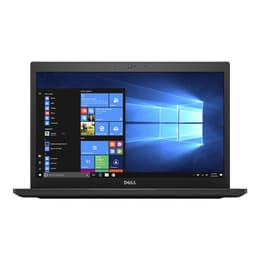
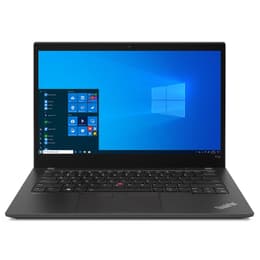
Dell Latitude 7490 14" Vs Lenovo ThinkPad T14 G2 14"
- 1-year minimum warranty
- Free delivery on all items
- Free 30-day returns
Differences at a glance
The Dell Latitude 7490 (2018) and the Lenovo ThinkPad T14 Gen 2 (2021) are fourteen-inch professional laptops designed for everyday productivity, administrative tasks, and business environments. While both devices share a traditional clamshell laptop form factor and standard business-class dimensions, they represent different generations of enterprise computing. The primary differentiators lie in their processing architecture, internal platform generation, and overall system capability. The Dell model operates on Windows, while the Lenovo device supports both Windows and modern Linux distributions natively, offering distinct software flexibility depending on user preference.
Available Models
Storage (GB)
Processor
Memory (GB)
Scores
Durability
When evaluating the longevity and maintenance expectations of these two business laptops, several generational and structural differences emerge regarding long-term usability and repair accessibility.
- Release timeline and support: The Lenovo model benefits from a newer release year, allowing for an extended window of official security updates and driver support compared to its counterpart.
- Repairability and components: Both laptops feature modular internal layouts that facilitate component replacement, though the Dell model offers simpler access to internal storage and memory modules for routine maintenance.
- Expected practical lifespan: Users can expect reliable multi-year operational life from both machines for standard administrative workflows, with the newer internal hardware providing longer headroom for future software demands.
Year of Release
2017
2021
Last Os Compatibility
Yes
Yes
OS
Windows 11
Windows 11
Performance
System responsiveness and day-to-day multitasking capabilities vary notably due to the generational gap between the processing hardware inside each machine.
- Multitasking and memory: Both laptops support configurable memory capacities, but the Lenovo device utilizes faster memory standards that handle heavy browser usage and background applications with greater fluidity.
- Everyday responsiveness: Web browsing, document editing, and video conferencing run smoothly on both machines, though heavier computational tasks complete faster on the newer processing architecture of the Lenovo model.
- Battery behavior: Typical office workloads yield moderate unplugged runtimes on both devices, though efficient power management on the newer internal components helps the Lenovo model maintain charge slightly longer during mixed usage.
Graphic card
Integrated Graphics
Integrated Graphics
Screen quality
Display configurations on these fourteen-inch laptops cater primarily to indoor productivity, offering varied resolution options and panel characteristics for daily work.
- Display technology: Both laptops utilize anti-glare panels to reduce reflections under harsh office lighting, with higher-tier configurations offering increased color accuracy and deeper contrast levels.
- Resolution and clarity: Standard high-definition and ultra-high-definition configurations are available across both product lines, providing sharp text rendering for spreadsheets and long-form reading tasks.
- Brightness and outdoor use: Maximum panel brightness levels are comparable between the two devices, remaining legible indoors while requiring shaded environments for comfortable outdoor visibility.
Resolution
1920 x 1080
1920 x 1080
Screen type
IPS
IPS
Camera
Audiovisual
Media consumption, video conferencing, and audio output capabilities differ based on the integrated peripheral hardware built into each chassis generation.
- Video conferencing: The Lenovo model incorporates an updated webcam sensor with improved clarity under dim indoor lighting compared to the older camera hardware found on the Dell device.
- Audio reproduction: Built-in stereo speakers on both laptops project sound adequately for spoken-word content and video calls, though low-frequency response remains minimal on both chassis.
- Microphone performance: Array microphones integrated near the display panels capture voice input clearly while filtering out routine background office noise during calls.
Miscellaneous
Physical design choices, port selections, and connectivity standards reflect the corporate focus of both fourteen-inch laptops.
- Connectivity standards: The Lenovo model features advanced wireless networking standards and optional cellular connectivity options, whereas the Dell model relies on traditional Wi-Fi and Bluetooth protocols.
- Port variety: Both machines include extensive physical inputs, such as traditional USB ports, network jacks, and display outputs, with the Lenovo model adding modern high-speed data transfer capabilities.
- Chassis and handling: Both laptops utilize durable carbon fiber or magnesium alloy composites to maintain a professional appearance while keeping weight close to similar levels for daily transport. Choosing a quality-assured refurbished option provides a sustainable choice that reduces electronic waste without compromising on structural integrity.
Weight
1500 g
7500 g
Screen size
14
14
What the community thinks
Users evaluating the Dell Latitude 7490 and the Lenovo ThinkPad T14 Gen 2 will find distinct advantages depending on their specific computing requirements. Community discussions and user reports highlight the durable keyboard designs and reliable build quality of both device families, making them popular choices for remote work and education environments. Frequent feedback notes that while the older Dell model offers straightforward hardware maintenance, the newer Lenovo model benefits from more capable internal architecture that handles intensive multitasking with greater ease.
Users prioritizing long-term software support, faster internal processing speeds, and modern connectivity standards may prefer the Lenovo ThinkPad T14 Gen 2. Conversely, users seeking a dependable, straightforward machine for standard web browsing, text processing, and administrative tasks will find the Dell Latitude 7490 well-suited to their needs. Reviewing these practical differences helps determine which system aligns best with individual daily workflows. Opting for a quality-assured refurbished option serves as an eco-friendly alternative for acquiring either device while supporting sustainable technology consumption.