
Compare models
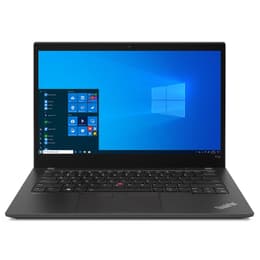
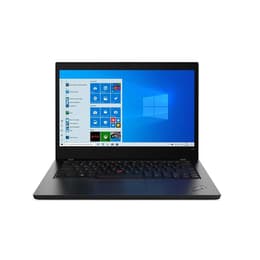
Lenovo ThinkPad T14 G2 14" Vs Lenovo ThinkPad T490 14"
- 1-year minimum warranty
- Free delivery on all items
- Free 30-day returns
Differences at a glance
The Lenovo ThinkPad T14 Gen 2 (2021) and the Lenovo ThinkPad T490 (2019) are 14-inch professional laptops designed for productivity, business environments, and everyday multitasking. While both devices share the classic, durable chassis design synonymous with the ThinkPad lineage, they represent different generations of hardware development. The primary differentiators lie in their internal processing generations and connection standards, which shape their overall system responsiveness and compatibility with modern peripherals. Both laptops run on standard desktop operating systems, providing familiar software environments for everyday work, study, and web-based tasks.
Available Models
Storage (GB)
Processor
Memory (GB)
Scores
Durability
Lifecycle expectations and software support timelines differ between these two generations, affecting their long-term viability for daily use and system maintenance.
- Release timeline and age: The ThinkPad T490 launched in 2019, while the ThinkPad T14 Gen 2 arrived two years later in 2021, providing a newer baseline of hardware wear and tear.
- Software longevity expectations: Both devices benefit from broad operating system compatibility, though the newer processor generation in the T14 Gen 2 ensures prolonged support for upcoming system updates and security patches.
- Repairability and lifespan: Both models feature traditional business-class serviceability, allowing for straightforward component maintenance, part replacements, and long-term reliability for students and mobile professionals choosing a quality-assured refurbished option.
Year of Release
2021
2019
OS
Windows 11
Windows 11
Performance
Processing power, memory capacity, and battery efficiency vary noticeably between these generations, impacting how each laptop handles demanding workloads and daily multitasking.
- Processor capabilities and multitasking: The ThinkPad T14 Gen 2 utilizes a generationally advanced processor that handles demanding web applications, heavy office tasks, and background syncing with greater fluidity than the older architecture found in the T490.
- Storage and memory configurations: Both models support fast solid-state storage options for quick file transfers, while the T14 Gen 2 introduces faster memory speeds that improve overall system responsiveness during intensive workflows.
- Battery behavior: The T14 Gen 2 generally offers improved power management efficiency, helping the battery sustain a full day of standard office tasks or lectures with fewer interruptions compared to the aging battery cells common in the older T490.
Graphic card
Integrated Graphics
Integrated Graphics
Screen quality
Visual display options across both laptop generations prioritize clear text rendering and comfortable viewing experiences for long working sessions.
- Display technology and resolution: Both laptops feature 14-inch screens available in standard resolutions, providing sharp text and clear detail for document editing, spreadsheets, and media consumption.
- Brightness and outdoor usability: Panel brightness varies depending on the specific configuration chosen, but both models offer anti-glare coatings that reduce reflections when working near bright windows or under harsh office lighting.
- Refresh rate and viewing comfort: Operating at standard refresh rates, both screens deliver stable, flicker-free performance designed to minimize eye fatigue during extended periods of reading or writing.
Resolution
1920 x 1080
1920 x 1080
Screen type
IPS
IPS
Audiovisual
Multimedia capabilities, including integrated webcams, microphones, and internal speakers, meet the standard requirements for remote communication and casual media consumption.
- Camera system capabilities: Both models include standard webcams suitable for video calls and virtual meetings, with basic low-light compensation for typical indoor office environments.
- Microphone and audio clarity: Integrated dual-microphone arrays capture voice audio clearly for remote conferencing, while the downward-facing stereo speakers provide adequate volume for voice calls and casual video playback.
- Media consumption experience: Audio output focuses primarily on vocal clarity rather than deep bass, making external headphones or speakers preferable for immersive music listening or movie watching.
Miscellaneous
Physical dimensions, port selections, and connectivity standards reflect the practical evolution of business laptops over a two-year span.
- Port selection and connectivity: The T14 Gen 2 updates legacy ports to include faster USB-C standards and modern Wi-Fi capabilities, whereas the T490 relies on slightly older peripheral connection speeds while retaining a similar array of traditional ports.
- Physical dimensions and weight: Both laptops maintain nearly identical 14-inch form factors and professional black chassis designs, making them similarly portable for commuting professionals and students.
- Security and input features: Both models retain the renowned ThinkPad keyboard layout, responsive trackpads, and optional biometric security sensors such as fingerprint readers for quick login access.
Weight
7500 g
1460 g
Screen size
14
14
What the community thinks
User feedback from online communities highlights that both laptops are widely praised for their exceptionally comfortable keyboards, robust physical durability, and reliable daily performance. Common discussions often note that the T490 can show signs of battery wear given its age, while the T14 Gen 2 is frequently commended for its snappier response times during multitasking. Users prioritizing maximum processing speed and modern connectivity standards may prefer the Lenovo ThinkPad T14 Gen 2, while those looking for a dependable, straightforward machine for basic office tasks and writing may lean toward the Lenovo ThinkPad T490.
Opting for a sustainable choice like a certified pre-owned device allows buyers to access these capable business laptops while reducing electronic waste. Ultimately, the right choice depends on individual workflow demands, software requirements, and personal preferences regarding device age and internal hardware capabilities.