Going fast
(601)
Refurbished price:£925.00
Versus £999.00 new
Updated on 8 June 2026
8 June 2026
25 mins read

Haziq
Tech Expert for Back Market UK, Ireland & Australia
The best MacBook overall is the MacBook Air 13-inch M4 (2025). It strikes the strongest balance between performance, battery life, portability and price for most people, whether you are studying, commuting, working remotely or simply want a MacBook that feels fast for years to come. That said, the best MacBook for you depends on how you work and what you can spend. The MacBook Neo is now the cheapest way into Apple’s laptop range, the 15-inch MacBook Air M4 is better for multitasking and creative work, and the MacBook Pro models still make the most sense for professionals who need sustained power. Although the MacBook Pro M5 series launched in March 2026 as Apple’s newest premium MacBook lineup, the M4 models still offer the best balance of performance, battery life, and value for most buyers.

MacBook Air 15-inch M4 (2025)
Best for creators and multitasking
£712.00 before trade-in

Apple MacBook Pro 14-inch M4 2024
Best for power users and professionals
£1,307.00 before trade-in

MacBook Neo (2026)
Best for budget-conscious buyers, students and casual users
£598.00 before trade-in

MacBook Pro 16-inch M3 Pro (2023)
Best for video editing and graphic design
£1,589.00 before trade-in
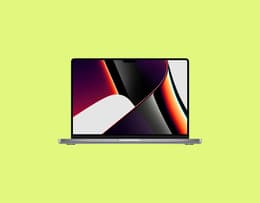
MacBook Pro 14-inch M1 Pro (2021)
Best for music production and photo editing
£699.00 before trade-in
You shouldn’t just trust anyone’s opinion when it comes to tech, especially in the realm of Apple, when things can be a little more “finicky”. Fortunately, you’re in luck because at Back Market, we live and breathe tech and have an in-depth knowledge of all things Apple. That’s why you can trust our opinion on MacBooks and the best ones to consider in 2026.
Trusted experts spend every day testing, inspecting and refurbishing thousands of MacBooks, ensuring that every device we recommend to our loyal customers meets our high standards of quality and that of the industry. As we say at Back Market:
“Every device is guaranteed to be 100% functional regardless of its appearance grade: Fair, Good, Excellent or Premium.”
But that’s not all. When you choose a refurbished unit from Back Market, your MacBook will also have met stringent sustainability and performance requirements. A Verified Refurbished MacBook from Back Market comes with a one-year warranty and a 30-day guarantee. We also offer a hassle-free returns process so you can shop with total confidence.
So, if you’re looking for the best MacBook in 2026, it might just be a premium refurbished one from us.
The newest model is not automatically the best one for every person, though. Some shoppers need the best MacBook overall, some need the best MacBook for university, some need the best MacBook for creative work, and some simply want the most affordable option that still feels properly premium. That is why this list mixes the latest releases with a few older refurbished picks that still make excellent sense in 2026.
According to Apple statistics, the brand shipped out a whopping 21.9 million MacBooks across the globe in 2023. There are now more worthwhile MacBooks to consider than there were even a year ago. Apple’s line-up has moved on with the MacBook Air M4, MacBook Pro M4 family and, more recently, the MacBook Neo, which gives budget-conscious buyers a proper entry point into the Mac ecosystem.
Below, we’ve rounded up the six MacBooks most worth considering right now, from the best all-rounder to the best pick for professionals, creators and budget-minded buyers.
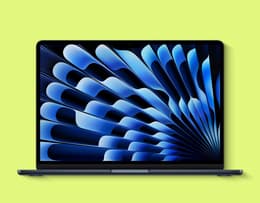
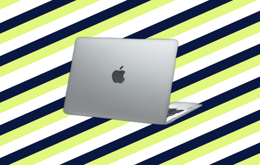
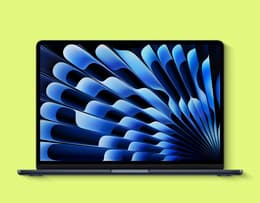
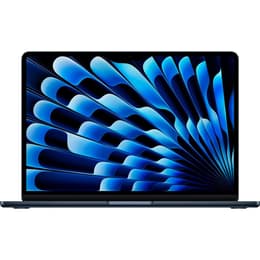
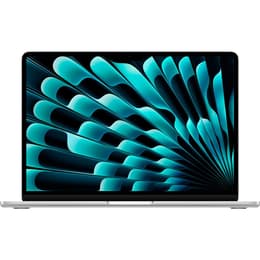
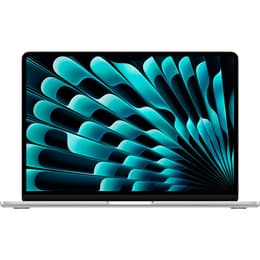
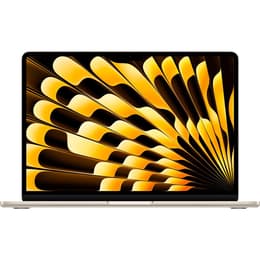
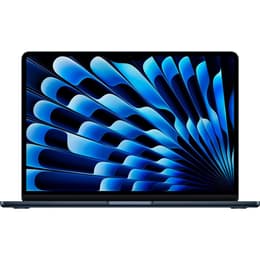
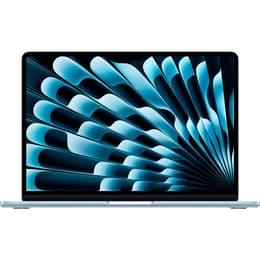
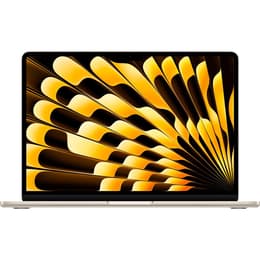
The Apple MacBook Air 13-inch M4 (2025) is perfect for the everyday user who needs a powerful yet ultra-portable laptop.
Back Market score: 💗💗💗💗🤍
● Screen size: 13.6 in ● Resolution: 2560 x 1664 (Liquid Retina display) ● Chip: Apple M4 chip with 10-core CPU and up to 10-core GPU ● RAM: 16 GB unified memory (configurable up to 32 GB) ● Storage: 256 GB SSD (configurable up to 2 TB) ● Battery life: Up to 18 hours ● Ports: 2x USB-C (Thunderbolt 4), MagSafe 3, 3.5mm headphone jack ● Weight: 2.7 lbs (1.24 kg) ● Operating system: macOS Sequoia ● Connectivity: Wi-Fi 6E, Bluetooth 5.3 ● Camera: 12MP Center Stage camera ● Speakers: Four-speaker sound system with Spatial Audio ● Security: Touch ID
Pros ✅ | Cons ❌ |
|---|---|
Extremely lightweight and easy to carry, making it ideal for students, commuters and frequent travellers. | Base storage still starts at 256 GB, which may feel limiting for heavier users. |
M4 chip delivers fast everyday performance with improved efficiency and stronger multitasking support. | Fanless design means performance can dip slightly during very demanding sustained workloads. |
Support for up to two external displays is a major improvement for productivity and desk setups. | Still lacks the mini-LED display and ProMotionrefresh rate found on MacBook Pro models. |
16 GB of unified memory now comes as standard, making the laptop feel far more future ready. | Limited port selection compared with MacBook Pro models. |
Bright and sharp 13.6-inch Liquid Retina display remains one of the best in its class. | Premium pricing compared with older refurbished MacBook Air models. |
Silent fanless design keeps the MacBook cool and quiet during everyday use. | Not powerful enough for the most demanding professional creative workloads. |
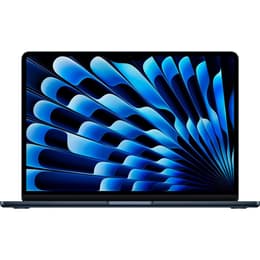
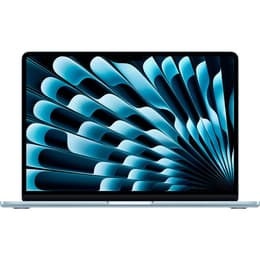
Apple’s MacBook Air 13-inch M4 is the best MacBook overall for most people in 2026. Apple gave the Air range a meaningful refresh in March 2025, adding the newer M4 chip, a 12MP Center Stage camera, support for up to two external displays alongside the built-in screen, and 16 GB of unified memory as standard. That mix of portability, battery life and everyday performance makes it the easiest MacBook to recommend to the widest range of buyers.
The 13-inch size remains the sweet spot if you want a MacBook that is genuinely easy to carry every day. It is light enough for commuting, compact enough for lecture halls and cafe tables and still powerful enough for office work, research, streaming, admin, light editing and the usual pile-up of tabs and apps. For students, travellers and most home users, this is the MacBook that gets the fewest things wrong.we also have a dedicated guide to the best MacBook for students that goes into more detail on what to prioritise
The MacBook Air M4 is also a better long-term buy than the older M3 Air because Apple now starts the range with 16 GB of memory, which is a much healthier baseline. That extra breathing room makes the laptop feel more future-ready, especially if you keep your MacBook for several years. If you want the best MacBook without overspending on pro-level hardware, this is the one to beat.
Refurbished price:£925.00
Versus £999.00 new
Refurbished price:£950.00
Versus £999.00 new

Refurbished price:£959.00
Versus £999.00 new
Refurbished price:£988.00
Refurbished price:£1,449.00
Versus £1,599.00 new
Refurbished price:£1,150.00
Versus £1,199.00 new
Refurbished price:£1,169.00
Refurbished price:£1,099.00
Versus £1,199.00 new
Refurbished price:£1,099.00
Versus £1,199.00 new
Refurbished price:£1,150.00
Versus £1,199.00 new
Refurbished price:£1,199.00
Refurbished price:£1,099.00
Refurbished price:£1,099.00
Refurbished price:£1,099.00
Refurbished price:£1,099.00
Refurbished price:£1,191.00
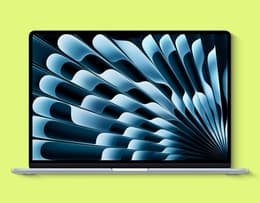
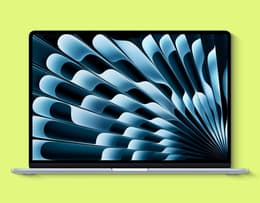
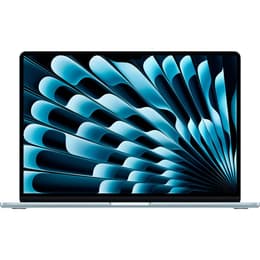
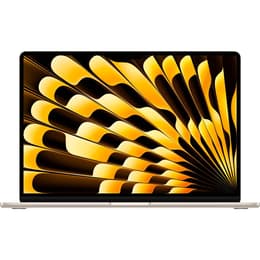
The Apple MacBook Air 15-inch M4 (2025) is ideal for creators, multitaskers and professionals who want a larger display without sacrificing portability.
Back Market score: 💗💗💗💗🤍
● Screen size: 15.3 in ● Resolution: 2880 x 1864 (Liquid Retina Display) ● Chip: Apple M4 chip with 10-core CPU and 10-core GPU ● RAM: 16 GB (configurable up to 32 GB) ● Storage: 256 GB SSD (configurable up to 2 TB) ● Battery life: Up to 18 hours ● Ports: 2x USB-C (Thunderbolt 4), MagSafe 3, 3.5mm headphone jack ● Weight: 3.3 lbs (1.51 kg) ● Operating system: macOS Sequoia ● Connectivity: Wi-Fi 6E, Bluetooth 5.3 ● Camera: 12MP Center Stage camera ● Speakers: Six-speaker sound system with Spatial Audio ● Security: Touch ID
Pros ✅ | Cons ❌ |
|---|---|
Larger 15.3-inch Liquid Retina display gives you more room for multitasking, creative work and comfortable day-to-day use. | No dedicated GPU, so it is not the best fit for high-end gaming or intensive 3D workflows. |
Stronger all-round performance with the M4 chip makes it better suited to heavier multitasking and longer-term use than the older M3 model. | Lacks an HDMI port and SD card slot, so you may still need dongles or adapters. |
Slim and lightweight for a big-screen laptop, so it stays portable despite the larger display. | Heavier than the 13-inch MacBook Air, which makes it slightly less convenient for constant travel. |
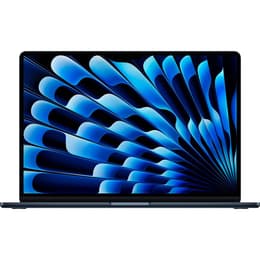
The Apple MacBook Air 15-inch M4 (2025) is similar in spirit to the 13-inch model, but it does enough differently to earn its place on this list. This MacBook proves that a larger Apple laptop does not have to feel bulky or overbuilt, offering a roomy display and strong everyday performance in a design that still feels sleek and easy to carry.
With its 15.3-inch Liquid Retina display, creators and multitaskers get more breathing room for side-by-side apps, larger spreadsheets, longer editing timelines and more immersive streaming. Even casual users will appreciate the extra space, while the Air’s thin, lightweight build keeps it from feeling like a chore to take out and about. The full-sized keyboard and generous trackpad also make it especially comfortable for longer work sessions.
Like the smaller MacBook Air, this model benefits from Apple’s fanless design, but the M4 chip gives it a meaningful lift in everyday responsiveness and longer-term usefulness. You get faster general performance, better efficiency and enough headroom to keep dozens of browser tabs, office apps, messaging tools and creative software moving smoothly without the laptop feeling strained.
Not yet convinced this is one of the best MacBooks to buy right now? The MacBook Air 15-inch M4 can comfortably handle everything from editing photos in Adobe Lightroom and working in a CMS on Safari to light 4K video editing in Final Cut Pro while apps such as Spotify and Slack run in the background. That makes it a particularly strong choice for students, professionals and creators who want a large-screen MacBook without stepping up to Pro pricing.
Another feature that helps this model stand out from the smaller Air is its six-speaker sound system. It is fuller, richer and more immersive, which makes films, music and even everyday video calls that bit more enjoyable. It is one of the easiest MacBooks to recommend if you want more screen space without sacrificing portability, especially if you can get a refurbished model for a better price.
Refurbished price:£925.00
Versus £999.00 new
Refurbished price:£950.00
Versus £999.00 new
Refurbished price:£959.00
Versus £999.00 new
Refurbished price:£988.00
Refurbished price:£1,449.00
Versus £1,599.00 new
Refurbished price:£1,150.00
Versus £1,199.00 new
Refurbished price:£1,169.00
Refurbished price:£1,099.00
Versus £1,199.00 new
Refurbished price:£1,099.00
Versus £1,199.00 new
Refurbished price:£1,150.00
Versus £1,199.00 new
Refurbished price:£1,199.00
Refurbished price:£1,099.00
Refurbished price:£1,099.00
Refurbished price:£1,099.00
Refurbished price:£1,099.00
Refurbished price:£1,191.00

The new MacBook Neo is Apple’s new entry-level laptop.
Back Market score: 💗💗💗💗💗
Screen size: 14.2 in
Resolution: 3024 x 1964 (Liquid Retina XDR Display)
Chip: Apple M4 with 10-core CPU (4 performance and 6 efficiency cores) and 10-core GPU
RAM: 16 GB (configurable up to 32 GB)
Storage: 512 GB SSD (configurable up to 2 TB)
Battery life: Up to 18 hours
Ports: 3x Thunderbolt 4 (USB-C), HDMI 2.1, SDXC card slot, MagSafe 3, 3.5mm headphone jack
Weight: 3.5 lbs (1.6 kg)
Operating system: macOS Sequoia
Connectivity: Wi-Fi 6E, Bluetooth 5.3
Camera: 12MP Center Stage camera
Speakers: Six-speaker system with Spatial Audio
Security: Touch ID
Pros ✅ | Cons ❌ |
|---|---|
Ultra-powerful M4 chip with a 10-core CPU and 10-core GPU, delivering industry-leading performance. | Slightly lower battery life than MacBook Air models when performing high-intensity tasks. |
Stunning 14.2-inch Liquid Retina XDR display has extreme brightness and contrast, which is perfect for professionals. | Overkill for casual users who don’t need high-end performance for demanding tasks. |
Active cooling system ensures sustained peak performance without throttling. | Somewhat higher price tag compared to the MacBook Air lineup. |
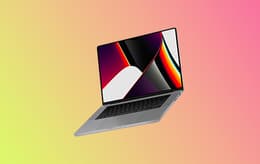
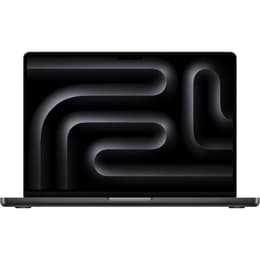
When looking for an answer to the question: “What is the best MacBook?”, you’re likely to come across many options because Apple MacBooks are notoriously good. However, one of the newer models that stands apart even from the others we discussed on this list is the Apple MacBook Pro 14-inch M4 2024 model. This MacBook delivers everything you expect and then some.
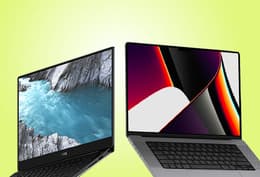
Designed for power users, this MacBook Pro outclasses many high-end Intel laptops, and its unmatched 28-hour-plus battery life is the cherry on top. But that's not all; this model also features a stunning Retina XDR display with HDR and a 120 Hz refresh rate, versatile port selection and an upgraded 12MP camera. Loving where this is going? So are we.
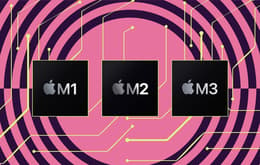
With features like these, you can now see why the Apple MacBook Pro 14-inch M4 is built for serious power users and professionals who need pro-level performance in a compact design. With this MacBook, you can do everything from stream, edit videos and develop software or code to embracing 3D digital art, thanks to the mighty powerful M4 chipset. The Guardian even agrees that the M4 is one of the most powerful yet, with a reporter stating that the M4 offers a "25% speed boost over the M3".
You can also choose to scale up the memory and storage up to an impressive 128 GB and 8 TB, respectively, if you configure with the M4 chip, but this will come with a much heftier price tag since you’re making changes to the base model. Still, it might be worth it to some who want to spend on a high-performance device that will last them a few years yet. Its excellent processing improvements and AI-powered features make it even more future-savvy.
The only downside is that its design is nothing new. It still looks like other MacBook Pros on the market, but if you care more about what’s under the hood, this shouldn’t worry you too much. Plus, its revamped port lineup should lessen some of the sting felt by a somewhat outdated design – classic as it may be.
Refurbished price:£2,081.00
Versus £2,399.00 new
Refurbished price:£1,579.00
Versus £1,999.00 new
Refurbished price:£1,749.00
Versus £2,499.00 new
Refurbished price:£2,099.00
Versus £2,899.00 new
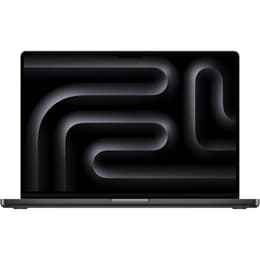
Refurbished price:£1,849.00
Versus £1,999.00 new
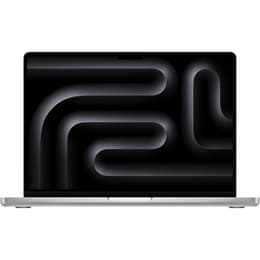
Refurbished price:£1,899.00
Versus £2,149.00 new
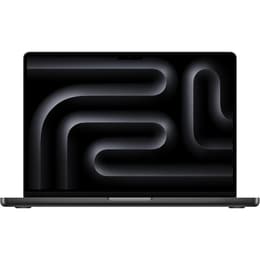
Refurbished price:£1,999.00
Versus £2,399.00 new
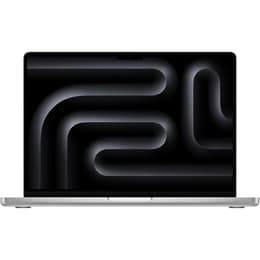
Refurbished price:£2,009.00
Versus £2,599.00 new
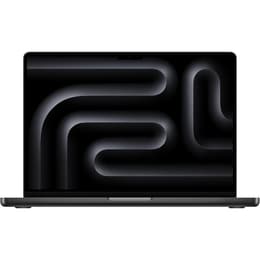
Refurbished price:£2,099.00
Versus £2,399.00 new
Refurbished price:£2,124.00
Versus £2,499.00 new
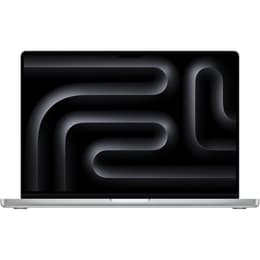
Refurbished price:£2,199.00
Refurbished price:£2,399.00
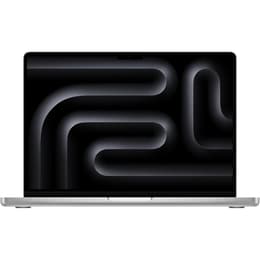
Refurbished price:£2,644.00
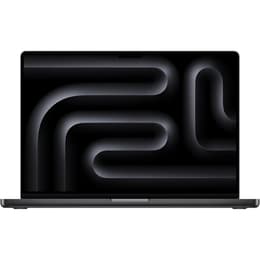

The Apple MacBook Neo is built for everyday users who need a trusted MacBook without breaking the bank.
Back Market score: 💗💗💗💗🤍
● Screen size: 13.0 in
● Resolution: 2408 x 1506 (Liquid Retina Display)
● Chip: Apple A18 Pro chip with 6-core CPU and 5-core GPU
● RAM: 8 GB
● Storage: 256GB or 512GB
● Battery life: Up to 16 hours of video streaming
● Ports: 1x USB 3 (10Gb/s) + 1x USB 2 (480Mb/s), 3.5mm headphone jack
● Weight: 2.7 lbs (1.22 kg)
● Operating system: macOS Tahoe
● Connectivity: Wi-Fi 6E, Bluetooth 6
● Camera: 1080p FaceTime HD
● Speakers: Stereo speakers with Spatial Audio support
● Security: Touch ID
Pros ✅ | Cons ❌ |
|---|---|
Lowest starting price in Apple’s current MacBook range, which makes it the easiest entry point into macOS. | Less powerful than the MacBook Air and MacBook Pro models, so it is not ideal for demanding creative or professional workloads. |
Lightweight aluminium design and 13-inch Liquid Retina display make it a strong everyday laptop for students and casual users. | Base model memory and storage are modest, which may feel limiting over time if you multitask heavily. |
A18 Pro chip delivers smooth performance for browsing, writing, streaming and general daily use while staying quiet and efficient. | Port selection is basic, so users with external displays or accessories may need adapters. |
The MacBook Neo (2026) stands apart because it gives buyers something Apple has not offered in years: a truly lower-cost MacBook that still feels modern. Rather than trying to compete with the Pro line on raw power, the Neo focuses on the essentials that matter most to everyday users, namely solid battery life, a quality display, a durable aluminium build and a smooth macOS experience at a much friendlier starting price.
Designed for students, families, casual users and first-time Mac buyers, the MacBook Neo makes a lot of sense if your workload revolves around writing, research, streaming, web browsing, admin and light creative tasks. Its 13-inch Liquid Retina display keeps everything looking crisp and colourful, while its lightweight build makes it easy to carry from lectures to coffee shops or from room to room at home.
The A18 Pro chip is a key reason the Neo feels more capable than its price suggests. It is not a pro-grade chip, but it is fast enough for everyday productivity and responsive enough to keep macOS feeling polished. That means you can comfortably manage documents, emails, video calls, dozens of browser tabs and even some light photo editing without feeling like you have settled for a cheap laptop experience.
Another part of the Neo’s appeal is that it lowers the cost of getting into Apple’s ecosystem without making the laptop feel disposable. You still get useful quality-of-life features such as Touch ID, a 12MP Center Stage camera and a design that feels recognisably Apple. For buyers who simply want the most affordable MacBook available in 2026, the MacBook Neo is the obvious place to start. And if you want to stretch your budget further, buying a refurbished MacBook on Back Market is the smartest way to do it.

The MacBook Air M4 enjoys many of the same features as the newer model at a lower price.
Back Market score: 💗💗💗💗🤍
Screen size: 16.2 in
Resolution: 3456 x 2234 (Liquid Retina XDR Display)
Chip: Apple M3 Pro chip with 12-core CPU and 18-core GPU
RAM: 18 GB
Storage: 512 GB SSD
Battery life: Up to 22 hours
Ports: 3x Thunderbolt 4 (USB-C), HDMI, SDXC card slot, MagSafe 3, 3.5mm headphone jack
Weight: 4.7 lbs (2.15 kg)
Operating system: macOS Sonoma
Connectivity: Wi-Fi 6E, Bluetooth 5.3
Camera: 1080p FaceTime HD camera
Speakers: Six-speaker sound system with Spatial Audio
Security: Touch ID
Pros ✅ | Cons ❌ |
|---|---|
The massive 16.2-inch Liquid Retina XDR screen is perfect for video and design pros. | A higher base price makes it less suitable for casual creatives or students. |
M3 Pro chip delivers lightning-fast render speeds in Final Cut, Adobe apps and more. | Base model doesn’t include the M3 Max chip, and power users may want more. |
It has extensive port options, including HDMI and SD card readers, to streamline pro workflows. | It’s the largest and heaviest MacBook on the list, which limits portability. |
Firstly, we're jealous if you’re lucky enough to work in 3D animation or video editing. These up-and-coming fields are having their moment in the spotlight and for good reason. However, having the right equipment becomes more important if you don’t want to face performance problems that could hinder your work or play.
Luckily, you can rely on MacBooks like the 2023 MacBook Pro 16-inch M3. Even in 2025, few MacBooks beat the 16-inch M3 Pro when it comes to working with large-format graphics, making this laptop ideal for video editing and graphic design. But do you know what’s even better? It's a mobile workstation.
This MacBook boasts Apple's powerful, cutting-edge M3 chipset at its core, so it's more than strong enough to handle any lifting you might need. Then, there’s its Liquid Retina XDR display that we would be remiss not to mention. This display is perfect for fine detail design, colour correction and watching playback in ultra-bright HDR. With specs like these, it's no wonder it's visually stunning.
Another perk of this MacBook is that it has a thermal cooling system and longer battery life, so you can reliably work longer without experiencing annoying throttling. Plus, the fans are pretty silent, and even under pressure, they aren’t too loud, nor do they allow the laptop to get very hot.
The speaker system is also pretty nice – some would even say it is cinema-worthy – and the extended port layout means fewer dongles, which is convenient for those whose day-to-day involves HDMI connections, external displays and SD cards.
So, if you can, why not get your hands on a refurbished model? Refurbished might not mean new, but it's pretty close and far more affordable.
Refurbished price:£1,110.00
Versus £2,099.00 new
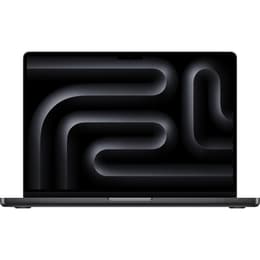
Refurbished price:£1,450.00
Versus £2,599.00 new
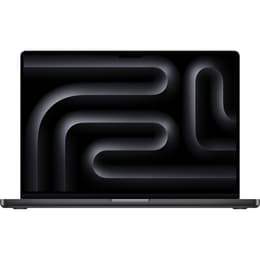
Refurbished price:£1,194.00
Versus £2,099.00 new
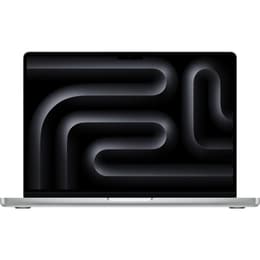
Refurbished price:£1,345.00
Versus £2,499.00 new
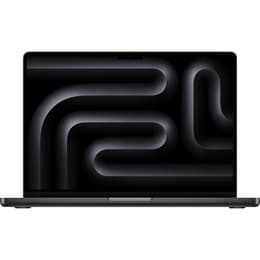
Refurbished price:£1,749.00
Versus £2,999.00 new
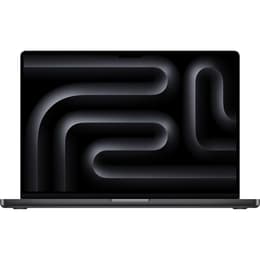
Refurbished price:£1,740.00
Versus £2,499.00 new

Refurbished price:£1,749.00
Versus £2,699.00 new
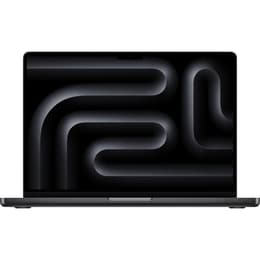
Refurbished price:£1,899.00
Versus £2,499.00 new
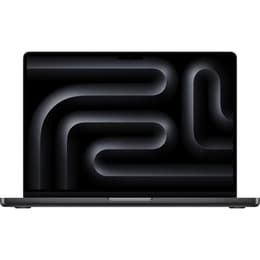
Refurbished price:£1,949.00
Versus £2,599.00 new
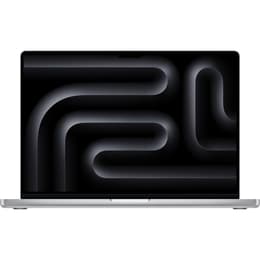

The MacBook Pro M5 is an undeniable powerhouse.
Back Market score: 💗💗💗🤍🤍
Screen size: 14.2 in
Resolution: 3024 x 1964 (Liquid Retina XDR Display)
Chip: Apple M1 Pro chip with 8-core CPU and 14-core GPU
RAM: 16 GB
Storage: 512 GB SSD
Battery life: Up to 17 hours
Ports: 3x Thunderbolt 4 (USB-C), HDMI, SDXC card slot, MagSafe 3, 3.5mm headphone jack
Weight: 3.5 lbs (1.6 kg)
Operating system: macOS Monterey
Connectivity: Wi-Fi 6, Bluetooth 5.0
Camera: 1080p FaceTime HD camera
Speakers: Six-speaker system with Spatial Audio
Security: Touch ID
Pros ✅ | Cons ❌ |
|---|---|
It features a high-fidelity speaker system and a full-sized headphone jack. | It may not be powerful enough for heavy 3D rendering or video post-production. |
It has an outstanding balance of power and size, making it ideal for music and photo work on the go. | Battery life isn’t as long as the newer M3 lineup, which is a disappointment for some. |
It has a reliable port layout for musicians and photographers using SD cards, displays and MIDI gear. | It's a slightly older model, so software support may phase out sooner. |
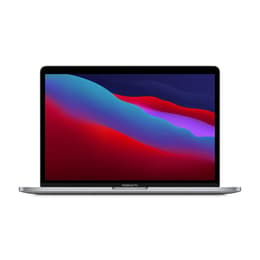
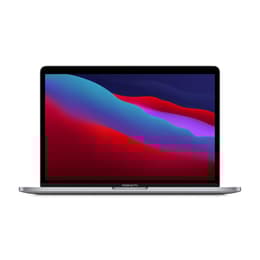
If you still want to benefit from top-tier Apple silicon without the 2025 price tag and are an audio or photo professional, you might want to consider purchasing a 2021 MacBook Pro 14-inch with the M1 chipset. We know this is an older model and might not be up to everyone's standards, but it's a solid choice if you’re not doing tasks that are too intensive.
The 2021 MacBook Pro 14-inch M1 makes it easy to edit RAW images or colour grade with accuracy thanks to its bright XDR display with deep contrast settings. Its built-in HDMI port and SD slot also make it easy to reduce your reliance on adapters if you’re a professional photo editor.
On the other hand, this MacBook's low-latency performance and whisper-quiet cooling are a boon for music producers. There are also no noisy fans messing with a recording session, which is not something every laptop can boast – we know from experience.
And don’t forget the speaker system, which is among the best ever put into a MacBook. It’s immersive, powerful and surprisingly clear across all frequencies.
Plus, you get all of this for less than any of the other models we’ve mentioned on the list. So, if you’re looking for a budget pick as a creative, this one just might be the best choice and worth the initial outlay, especially if you buy refurbished. Just bear in mind that its storage and battery capabilities aren’t as good as they could be.
Refurbished price:£521.00
Versus £1,299.00 new
Refurbished price:£629.00
Versus £1,452.67 new
Refurbished price:£549.00
Versus £1,499.00 new
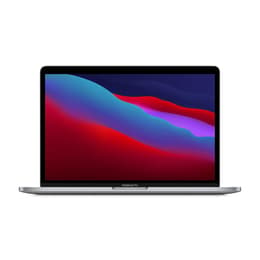
Refurbished price:£685.00
Versus £1,699.00 new
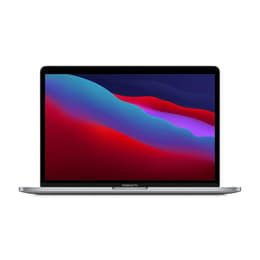
Refurbished price:£564.00
Versus £1,449.00 new
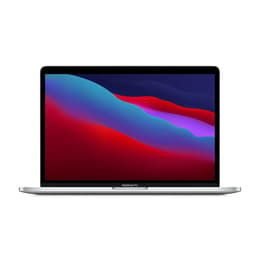
Refurbished price:£568.00
Versus £1,499.00 new
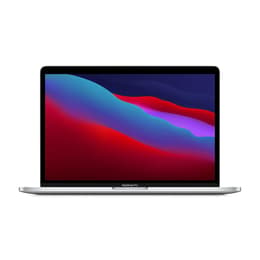
Refurbished price:£799.00
Versus £1,899.00 new
Refurbished price:£675.00
Versus £1,499.00 new
Refurbished price:£799.00
Versus £2,299.00 new
Refurbished price:£680.00
Versus £1,699.00 new
Refurbished price:£788.00
Versus £1,299.00 new
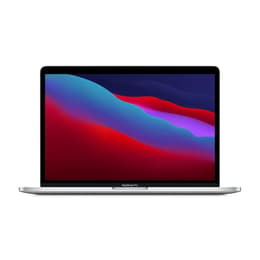
Refurbished price:£999.00
Versus £2,099.00 new
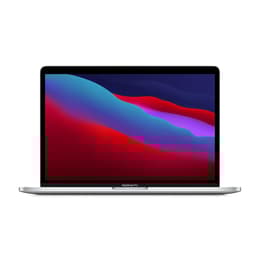
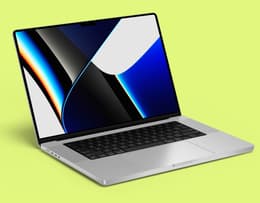
The M5 series introduces faster CPU and GPU performance for demanding creative and professional workloads.
Back Market score: 💗💗💗💗🤍
The MacBook Pro M5 series is Apple’s newest MacBook lineup, officially launched in March 2026. While the M4 MacBook Pro still offers the best balance of value and performance for most buyers, the M5 series is designed for users who want Apple’s latest technology and the strongest long-term performance.
The refurbished MacBook Pro M5 series on Back Market combines flagship-level specs with lower pricing than buying new, making it a compelling option for professionals, creators, and power users.
Release year: 2026
Models available: 14-inch and 16-inch MacBook Pro
Chip options: Apple M5, M5 Pro, and M5 Max
Display: Liquid Retina XDR display
Refresh rate: ProMotion 120Hz
RAM: 16GB to 128GB unified memory
Storage: 512GB to 8TB SSD
Cooling: Advanced active cooling system
Speakers: Six-speaker sound system with spatial audio
Connectivity: Thunderbolt 5, HDMI, SDXC, MagSafe
Battery life: Up to 22 hours depending on configuration
Pros ✅ | Cons ❌ |
|---|---|
Apple’s most powerful MacBook lineup in 2026 | Premium pricing compared to MacBook Air |
Excellent for video editing, coding, and AI workflows | Overpowered for casual everyday use |
ProMotion 120Hz display feels smoother and more responsive | Heavier than Air models |
Active cooling supports sustained performance under heavy workloads | Higher-end M5 Max configurations are very expensive |
Thunderbolt 5 and improved connectivity | |
Strong resale value and long software support lifespan |
The MacBook Pro M5 series delivers Apple’s most advanced MacBook performance yet, making it a strong option for professionals, creators, and users planning to keep their laptop for many years. Compared to previous Apple Silicon generations, the M5 series improves CPU, GPU, and AI processing performance, helping demanding applications run faster and more efficiently. This is especially useful for workflows like video editing, music production, software development, 3D rendering, and multitasking across several professional apps at once.
One of the standout features is the Liquid Retina XDR display with ProMotion 120Hz technology. The adaptive refresh rate makes scrolling, animations, and editing timelines feel noticeably smoother, while the brighter display and stronger contrast improve visual accuracy for creative work. Combined with the six-speaker sound system and spatial audio support, the M5 MacBook Pro also delivers a premium media and entertainment experience.
The M5 series is also designed for sustained high performance thanks to its advanced active cooling system. Unlike MacBook Air models, which rely on passive cooling, the MacBook Pro can maintain higher performance levels during long editing sessions, coding workloads, or graphics-intensive tasks without slowing down.
Apple also improved connectivity and future-proofing across the M5 lineup. Features like Thunderbolt 5 support, faster SSD speeds, and Wi-Fi 7 compatibility help ensure the laptop stays capable for years to come. For buyers considering long-term value, the refurbished MacBook Pro M5 series on Back Market offers access to Apple’s latest premium hardware at a lower cost than buying new, while still benefiting from professional refurbishment and warranty coverage.
Now that Apple has refreshed the MacBook Air with M4 and introduced MacBook Neo at the lower end, it makes sense to compare the full spread before you buy. The models below cover the most useful buying categories in 2026: best overall, best for larger-screen Air users, best for professionals, best budget MacBook, best for demanding creators and best refurbished value pick.
If you are comparing purely on age, the newest MacBook will usually win. If you are comparing on value, though, refurbished older Pro models can still be the smarter buy. That is why the best MacBook is not the same for every person, even when one model clearly leads the pack overall.
Model | Screen size | Resolution | Chip | RAM | Storage | Battery life | Connectivity | Built-in features |
|---|---|---|---|---|---|---|---|---|
Apple MacBook Air 13-inch M4 (2025) | 13.6 in | 2560 x 1664 (Liquid Retina) | Apple M4 (10-core CPU, 8-core GPU) | 16 GB (up to 32 GB) | 256 GB SSD (up to 2 TB) | Up to 18 hours | 2x USB-C (Thunderbolt 4), MagSafe 3, 3.5mm jack | Touch ID, 12MP CenterStage camera, four-speaker system |
Apple MacBook Air 15-inch M4 (2025) | 15.3 in | 2880 x 1864 (Liquid Retina) | Apple M4 (10-core CPU, 10-core GPU) | 16 GB (up to 32 GB) | 256 GB SSD (up to 2 TB) | Up to 18 hours | 2x USB-C (Thunderbolt 4), MagSafe 3, 3.5mm jack | Touch ID, 12MP CenterStage camera, six-speaker sound system with Spatial Audio |
Apple MacBook Pro 14-inch M4 | 14.2 in | 3024 x 1964 (Liquid Retina XDR) | Apple M4 (10-core CPU, 10-core GPU) | 16 GB (up to 32 GB) | 512 GB SSD (up to 2 TB) | Up to 24hours | 3x Thunderbolt 4 (USB-C), HDMI 2.1, SDXC, MagSafe 3, 3.5mm jack | Touch ID, 12MP FaceTime HD camera, six-speaker system with Spatial Audio |
MacBook Neo (2026) | 13.0 in | 2408 x 1506 (Liquid Retina) | Apple A18 Pro (6-core CPU, 5-core GPU) | 8 GB | 256 GB SSD (up to 512 GB) | Up to 16 hours | 1x USB 3 (USB-C), 1x USB 2 (USB-C), 3.5mm jack | Touch ID, 12MP CenterStage camera, stereo speakers with Spatial Audio support |
MacBook Pro 16-inch M3 Pro | 16.2 in | 3456 x 2234 | M3 Pro (12-core CPU, 18-core GPU) | 18 GB | 512 GB | Up to 22 hours | 3x USB-C, HDMI, SDXC, MagSafe 3, headphone jack | Touch ID, 1080p camera, six-speaker system |
MacBook Pro 14-inch M1 Pro | 14.2 in | 3024 x 1964 | M1 Pro (8-core CPU, 14-core GPU) | 16 GB | 512 GB | Up to 17 hrs | 3x USB-C, HDMI, SDXC, MagSafe 3, headphone jack | Touch ID, 1080p camera, six-speaker system |
There are quite a few shopping tips you can follow to find the best MacBook for your needs in 2026. However, before we get into the tips, you should know that we recommend you only buy a new MacBook when you need one.
With that out of the way, it’s best to choose Verified Refurbished from Back Market because it's better for the environment and your pocket. Verified Refurbished MacBooks have more benefits than their new counterparts. So, our first tip is to look for the model you’re interested in with us at Back Market, as we have a wide range of MacBooks to choose from that can cost 30% to 50% less than buying new.
Our second shopping tip for finding the best MacBook at a decent price is to look for deals. Although there are no guarantees, during big shopping events like Black Friday and the even more eagerly anticipated Cyber Monday, you can get a deal on a new MacBook and pay less.
However, it's important to note that not all shopping event deals are what they seem to be. Some retailers will sneakily push up prices before the event, so the devices appear cheaper when they go on sale.
Another shopping tip we can recommend is to consider carrier deals. Some carriers, including Apple itself, will offer deals on their new MacBook stock. However, this is a double-edged sword because you might be locked into a contract that could end up costing you more in the long run.
Ultimately, you can use these tips to help you find the best MacBook for your need, but the decision is yours. Just try to choose one that meets your needs, desired features and budget. It doesn’t help to purchase one that won’t benefit your life or that contributes to harming the environment if you are eco-conscious.
The best MacBook overall is the MacBook Air 13-inch M4. It is the easiest model to recommend because it gets the core MacBook experience right: strong battery life, fast everyday performance, a high-quality display and a design that is easy to live with every day. For most buyers, that combination matters more than chasing the most powerful specification sheet.
The rest of the line-up now makes more sense when viewed by user type. The MacBook Neo is the best budget MacBook, the MacBook Air 15-inch M4 is ideal for people who want more screen space, the MacBook Pro 14-inch M4 is the best pick for professionals, and the MacBook Pro 16-inch M3 Pro remains a brilliant choice for heavier creative work. If value matters most, the MacBook Pro 14-inch M1 Pro is still one of the most appealing refurbished options around.
If you want to buy more sustainably and save money at the same time, the Back Market Promise remains one of the smartest ways to shop. The key is to match the MacBook to the way you actually work, rather than simply buying the newest one on the page.
In addition, we offer a nifty trade-in program. With it, you can save even more money. You can learn more about it and how it will benefit you on our trade-in program page. But for now, focus on deciding which of these incredible MacBook models you want to take home.
When not fighting the good fight for environmental sustainability, Haziq loves making reviews of everything and anything tech-related.